

Video Optimizations
Keep videos hidden until needed the scene
Section titled “Keep videos hidden until needed the scene ”A non-hidden video get decoded by CPU/GPU and blocks its bandwidth. Hidden videos don’t consume any CPU/GPU. So keep them hidden until needed, and hide them again if not needed anymore.
Maximum number of videos that can run in parallel
Section titled “Maximum number of videos that can run in parallel ”| Platform | No of HD videos, tested with (1280x720) | No of ~4K Videos, tested with (3840x1920) |
|---|---|---|
| Desktop/Laptop | 4 | 1 |
| Androids Phones | 4 | 1 |
| iOS Phones | 4 | 1 |
Also check media codec compatibility.
Video Resolution and File Size Recommendation
Section titled “Video Resolution and File Size Recommendation ”| Device | Recommended Max Resolution | Recommended Max File Size |
|---|---|---|
| Desktop | 4096x2048 | 10MB |
| Flagship mobile devices | 4096x2048 | 10MB |
| Low-end mobile devices | 2048x1024 | 5MB |
Optimize Video File Size
Section titled “Optimize Video File Size ”Before uploading any videos to the GMetri File Manager (by dragging and dropping files onto it), just run them through a compression tool to reduce their sizes drastically.
We recommend you use the Open Source tool Handbrake to do this. Here’s how:
Alternatively, you can compress/resize content on the Adobe Suite
If you are using Adobe Premiere Pro or Adobe After Effects, directly compress and export the video from Adobe Media Encoder.
Here’s a tutorial for this:
You could also use FFmpeg for this.
Video AutoStart Limitations
Section titled “Video AutoStart Limitations”On Mobile devices a Click action is required in the rule that starts a video (as opposed to any other event like a variable reaching a value, or the scene loading). This is because Mobile devices are strict about getting a user interaction before allowing audio to play.
Also check Audio AutoStart Limitations.
Here’s an example where click events are used to play a video.
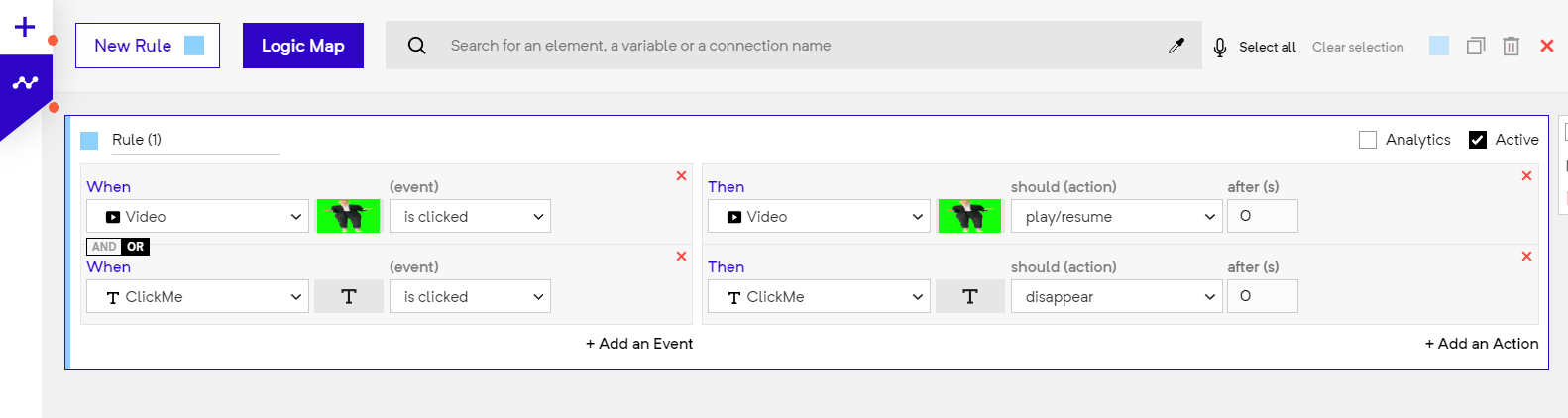
A rule where click event(s) are used to play a video
Note that this restriction doesn’t apply on muted videos. If you mute your video, you can play your video with any rule.
You can mute a video like this:
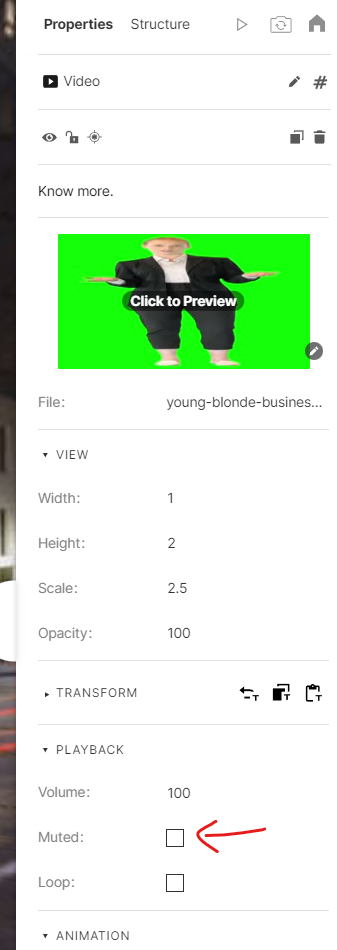
Muting a Video