

Autogenerated Variables
Auto-generated Variables
Section titled “Auto-generated Variables ”Some variables are generated automatically when you create an experience or perform some action. Many of these variables have their values set automatically by the GMetri system. You can use these variables in your Experience logic using rulesor string-substitution.md.
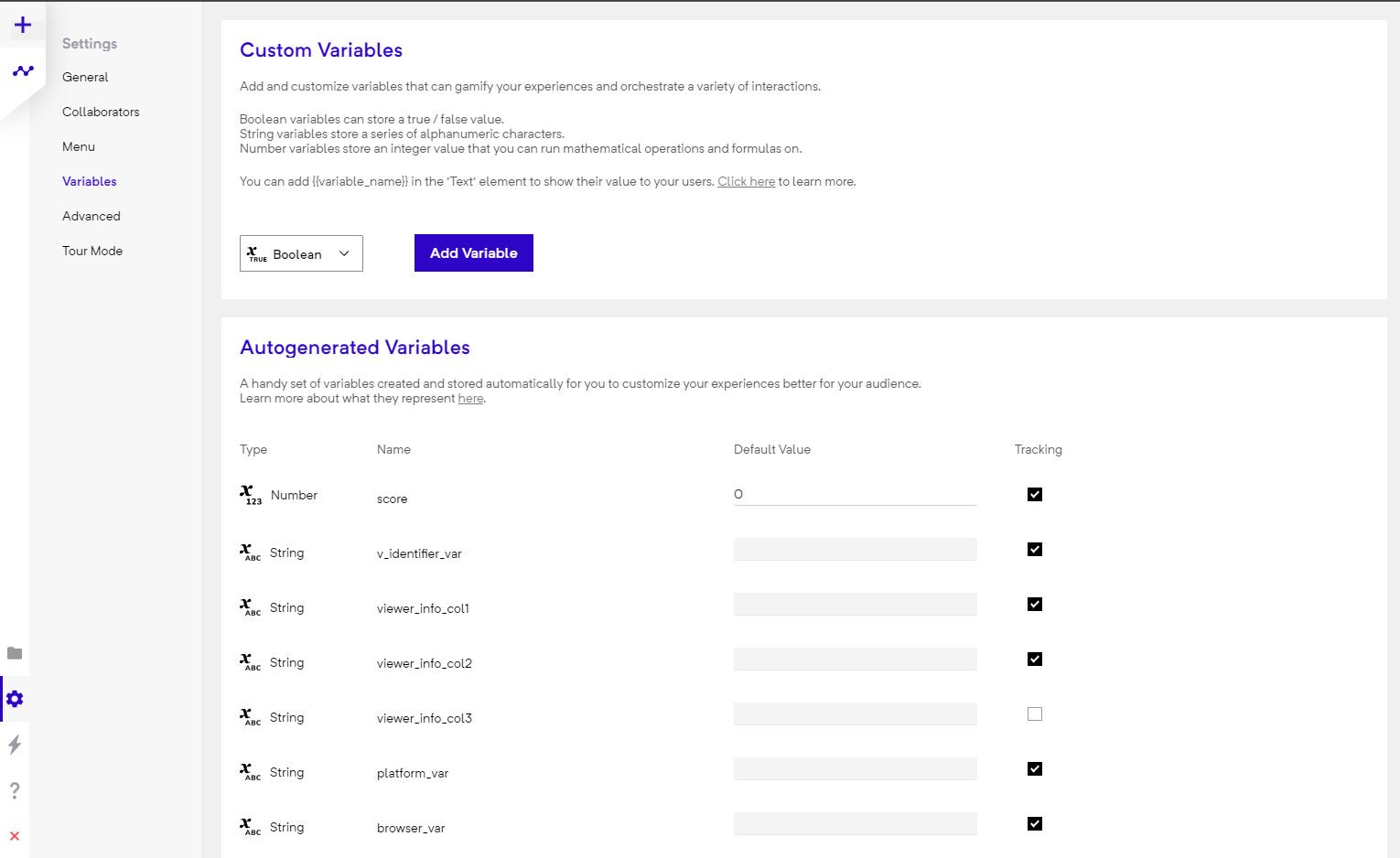
Auto-generated Variables - Predefined
Section titled “Auto-generated Variables - Predefined ”v_identifier_var
Section titled “v_identifier_var”v_identifier_var - A unique ID to identify each viewer who views the experience. This can be viewed in the analytics page. Can be email/name etc. - depends on the authentication mechanism used in the Deployment section.
fullname_var
Section titled “fullname_var”fullname_var - A string variable that contains the full name of the user if we get it from the authentication mechanism.
firstname_var
Section titled “firstname_var”firstname_var - A string variable that contains the first name of the user if we get it from the authentication mechanism.
lastname_var
Section titled “lastname_var”lastname_var - A string variable that contains the first name of the user if we get it from the authentication mechanism.
browser_var
Section titled “browser_var”browser_var - This variable holds the information on the browser that a viewer uses. For a list of support browsers please check the platform compatibility matrix. Following values will be populated in the browser_var when the viewer views an experience:
safarichromeedge-chromiumcriosioschromesamsungdevice_var
Section titled “device_var”device_var - Holds information about the viewer device type. Possible values: d,m,h.
d-> Desktopm-> Mobileh-> Headset
vrmode_var
Section titled “vrmode_var”vrmode_var - Contains TRUE if the user enters VR Mode. Otherwise FALSE. Changes real-time to reflect the current state.
scorm_progress
Section titled “scorm_progress”Share the progress with a LMS.
scorm_suspend_data
Section titled “scorm_suspend_data”Share arbitrary data with a LMS. Persists across sessions.
scorm_score
Section titled “scorm_score”Used to share score with a LMS
player_count_var
Section titled “player_count_var”Stores the total number of live viewers in the current room instance
player_count_all_var
Section titled “player_count_all_var”Stores the total number of live viewers in all rooms
Auto-generated Variables - Generated at Runtime
Section titled “Auto-generated Variables - Generated at Runtime”score
Section titled “score ”score - This is a special number variable that’s used to generate the leaderboard in the analytics section. Use this to store any overall score you may have in the experience.
lang - The lang variable can be used by enabling the Show Language Screen option in the settings section. To add languages, go to the Languages tab inside Splash Screen. This variable will hold the value of the language selected by the viewer.
Other actions like enabling Lead Generation form fields and adding Media Upload elements can also add auto-generated variables.
Example Experience
Section titled “Example Experience”Here’s an experience you can use to check the value of autogenerated variables in different settings: https://game.gmetri.com/autovariables