

Polygon
How can I add shapes (polygons) to my experience?
Section titled “How can I add shapes (polygons) to my experience?”Step 1: Add a Polygon
Section titled “Step 1: Add a Polygon”You can add a Polygon by clicking on the ‘+’ icon in the left bar and selecting ‘Polygon’ under 3D section.
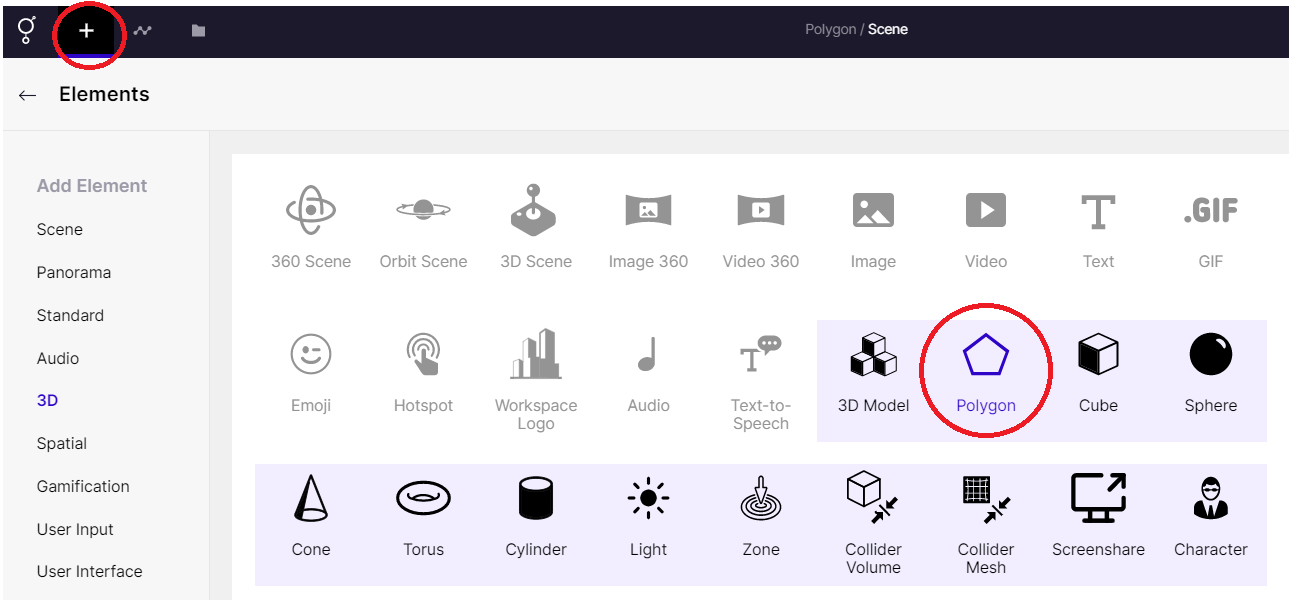
Adding a Polygon
Step 2: Adjust the Polygon
Section titled “Step 2: Adjust the Polygon”A standard polygon is automatically inserted in your experience.
Using the Properties Panel, you can adjust the following: number of sides, color, wireframe and more.
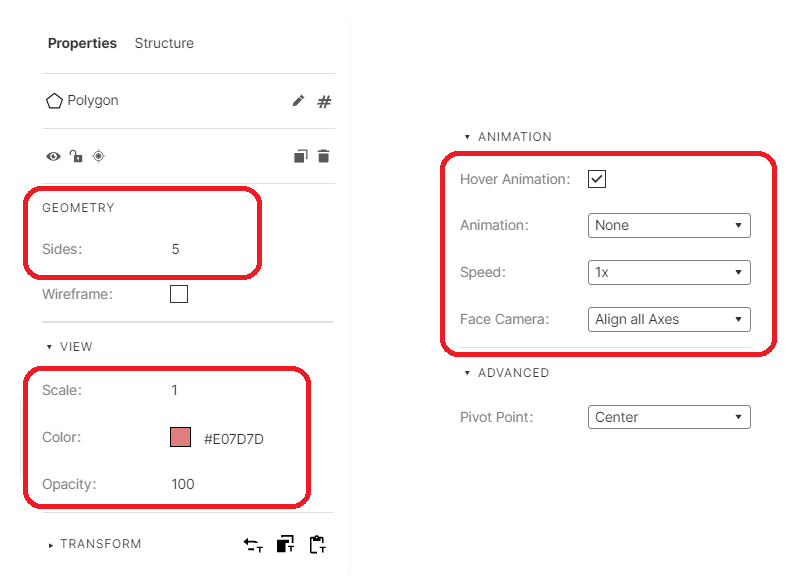
Adjusting the polygon
Example Experience
Section titled “Example Experience”The rules applied in the above experience are shown below
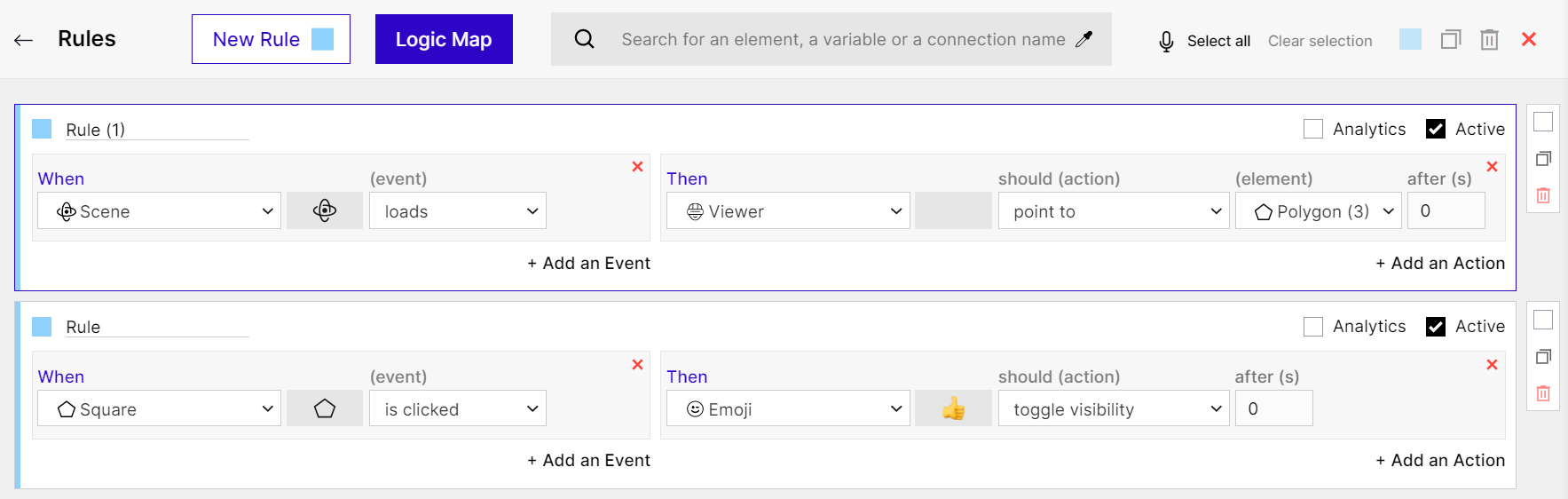
Rules - Set on example experience of Polygons