

Actionbar
What is an Actionbar?
Section titled “What is an Actionbar?”Actionbar is a set of collapsible buttons that can be added to any experience.
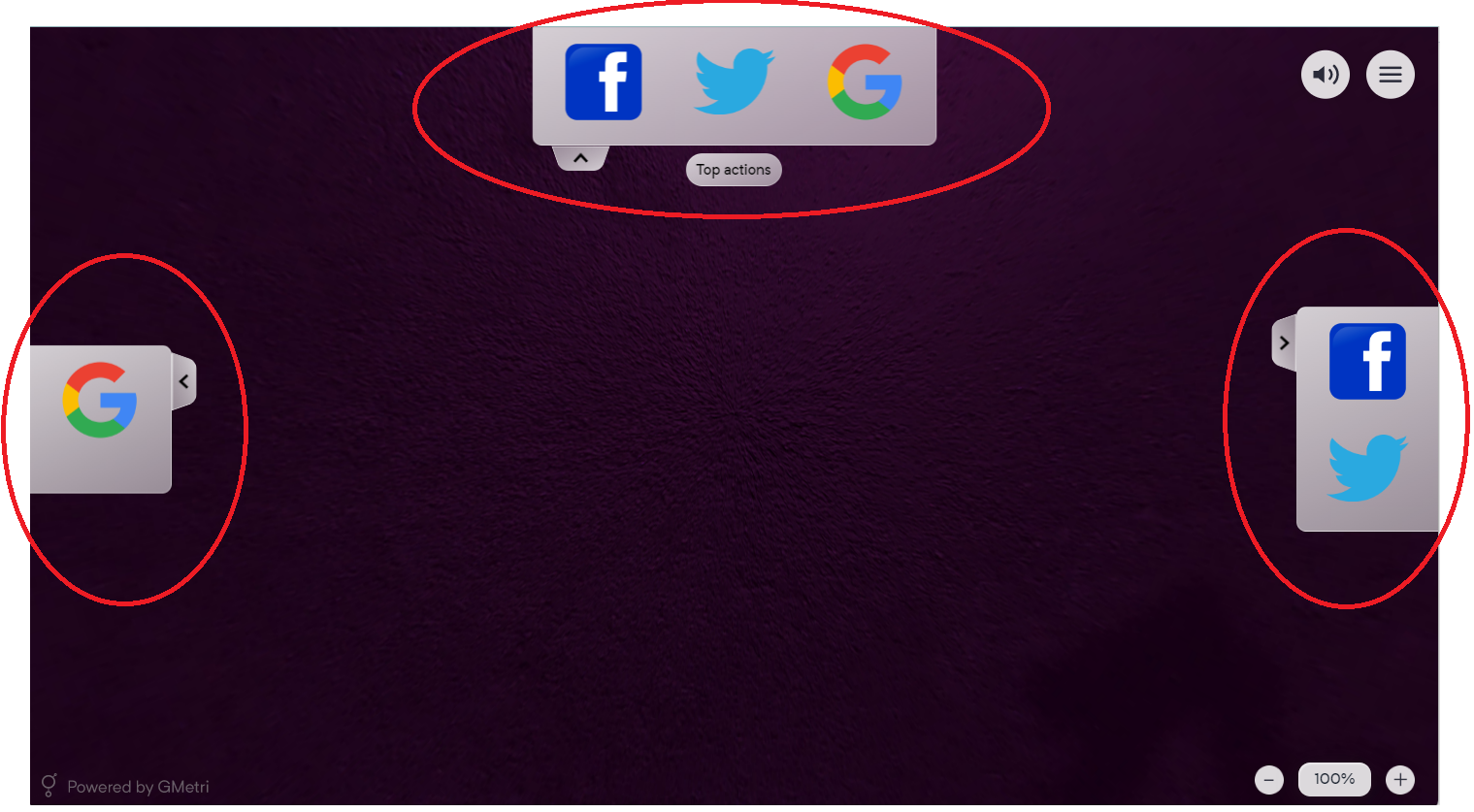
What is an Actionbar
Step 1: Add an Actionbar
Section titled “Step 1: Add an Actionbar”You can add an Actionbar by clicking on the ‘+’ icon in the left bar and selecting ‘Actionbar’ under the ‘User Interface’ section.
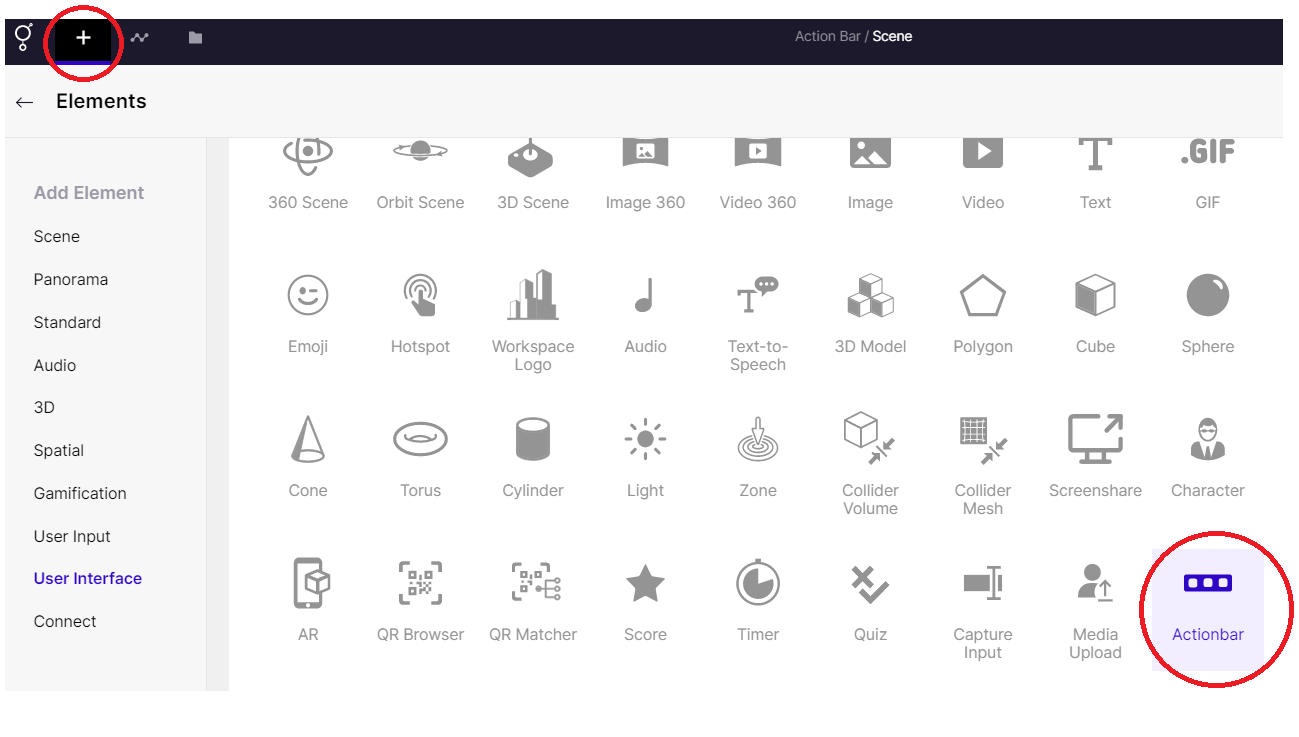
Adding an Actionbar
Step 2: Customize the Actionbar
Section titled “Step 2: Customize the Actionbar”You have the option to tailor the actionbar to your preferences. The right-hand panel offers various choices, such as the position of the actionbar (top, right, left, or bottom), labelling, changing the color, and adding buttons that can link to your desired destination URL. You can also name the buttons, add images, and more.
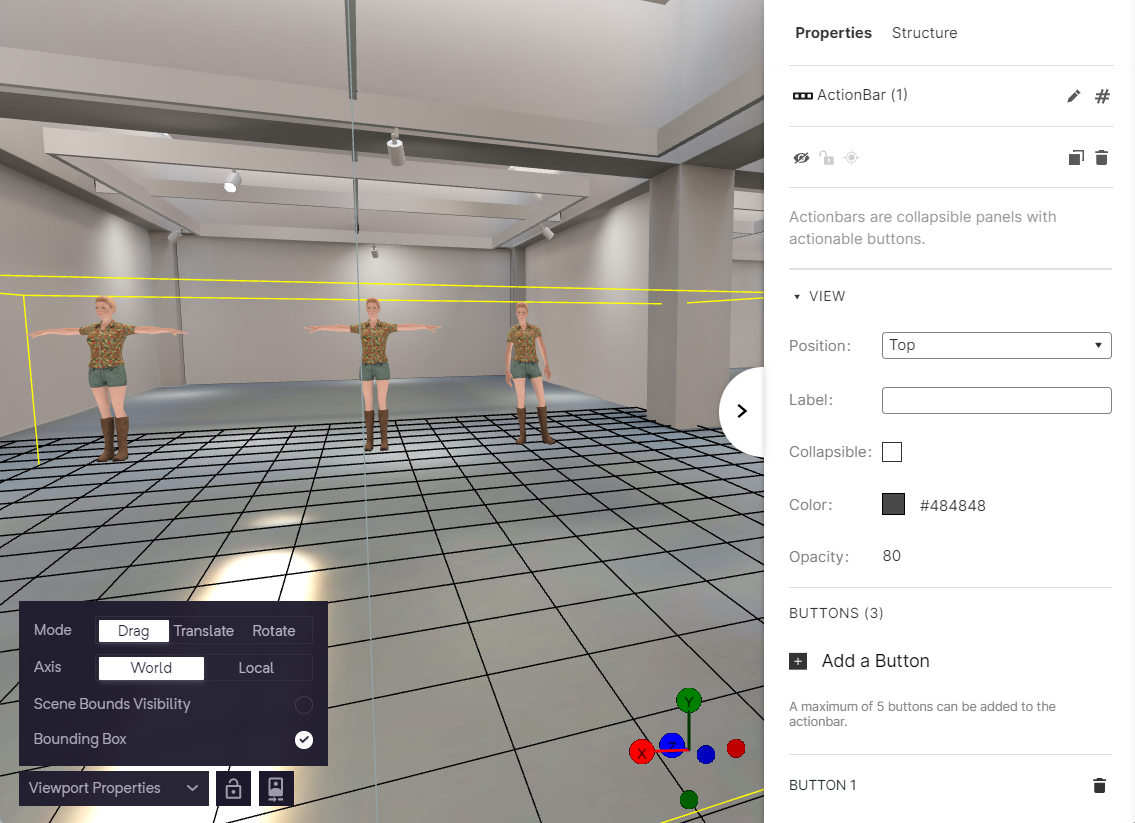
Right panel of Actionbar
You can add various call-to-action buttons/ info buttons and more to your experience.
Step 3: Linking Actionbar items
Section titled “Step 3: Linking Actionbar items”Actionbar items (the individual buttons) can be linked using rules. The rules applied in the above experience are shown below:
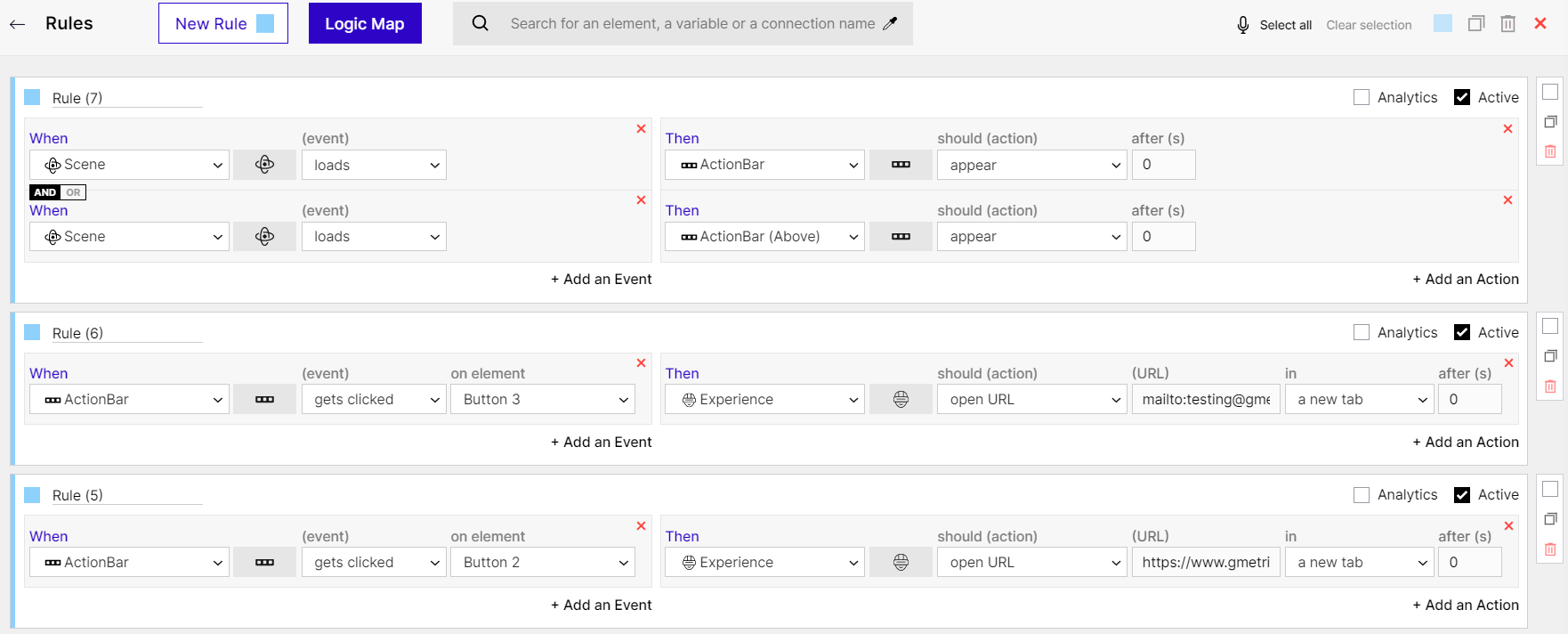
Rules 1 - Actionbar
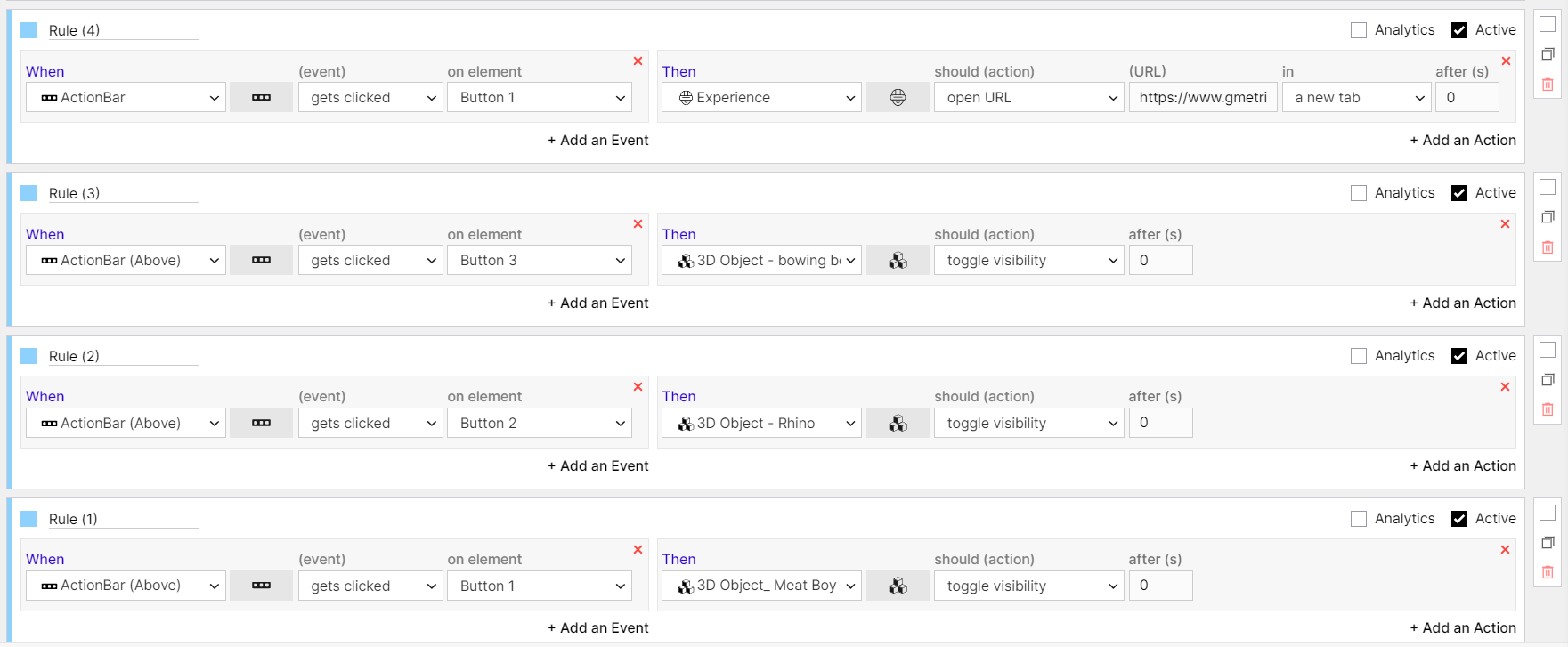
Rules 2- Actionbar
Example Experience
Section titled “Example Experience”Example actionbar in an experience: