

360 Scene
Properties of a 360 Scene
Section titled “Properties of a 360 Scene”The properties panel in a 360 scene provides multiple options to adjust an element or an item in an experience.
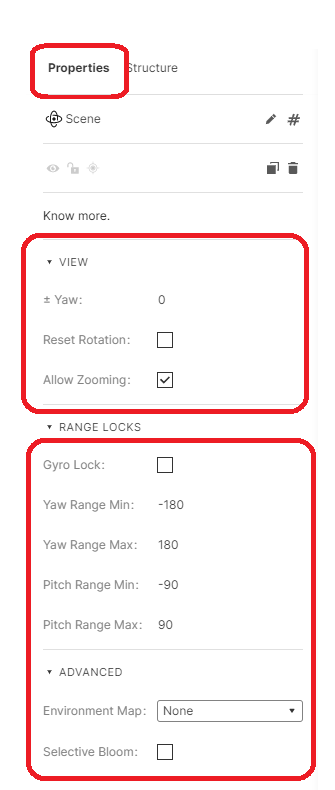
360 Scene properties
The functionalities of Yaw, Reset Rotation, and Allow Zooming in any experience are similar to those in a 3D scene.
- Gyro Lock - Enabling this option will lock the gyroscope view of the experience. If the option is not checked, the adjustments to the gyroscope view can be made by adjusting the yaw and pitch ranges.
Advanced
Section titled “Advanced”Environment Map and Selective Bloom in any experience are similar to those in a 3D scene.
How do I add a 360 panorama into my experience?
Section titled “How do I add a 360 panorama into my experience?”Step 1: Add a 360 Scene
Section titled “Step 1: Add a 360 Scene”You can add a 360 scene by clicking on the ‘+’ icon in the left bar and selecting ‘360 Scene’.
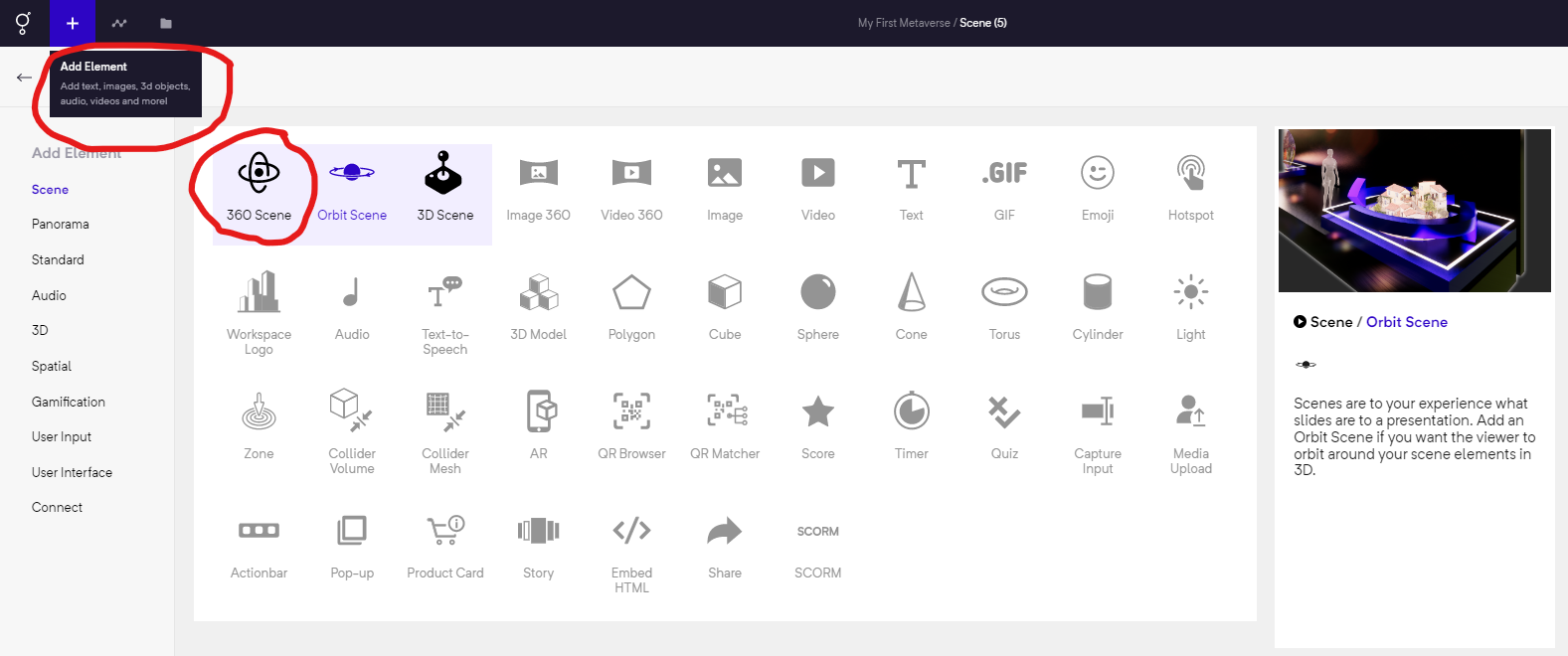
Add a 360 scene into your experience
Step 2: Go to properties of Pano Element and select Upload/Choose File
Section titled “Step 2: Go to properties of Pano Element and select Upload/Choose File”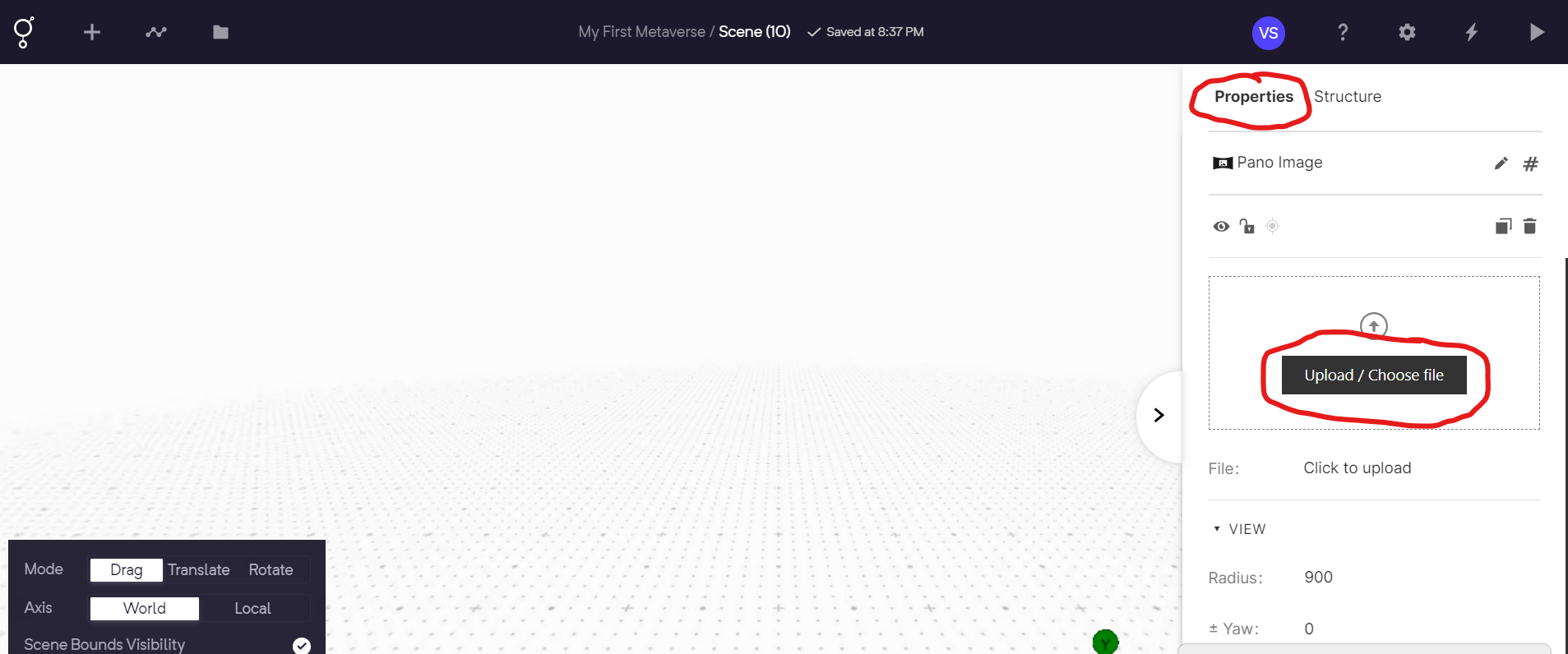
Properties of Pano Element and select Upload/Choose File