

Embed on your Website
GMetri experiences can be embedded on your website by using the <iframe> code in the Embed tab in the Publish section.
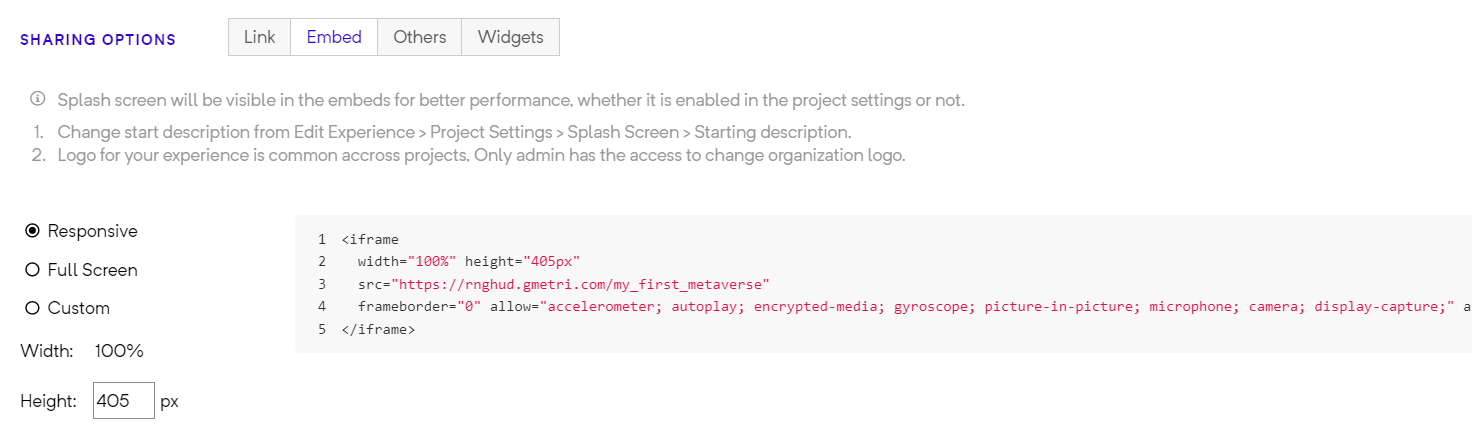
Embed Tab under Sharing Options
You can also embed this experience in your website by using the embed code.
How can I embed the Metaverse on my Website?
Section titled “How can I embed the Metaverse on my Website?”- Access the HTML editor for your website
- In the HTML body, insert the code copied from the Embed tab in Publish section
Pasting the deployment link directly
Section titled “Pasting the deployment link directly”In case you are using a UI based editor (like WordPress editor), instead of the above steps (where you modify raw html), you can also try directly pasting the deployment link in the editor for the website content.
In most popular publishing tools - the deployment link auto-expands into an embed - like how YouTube links expand in most editors.