

Elements
Elements are the basic blocks you use to build an experience. Use the Add (+) icon to add elements.
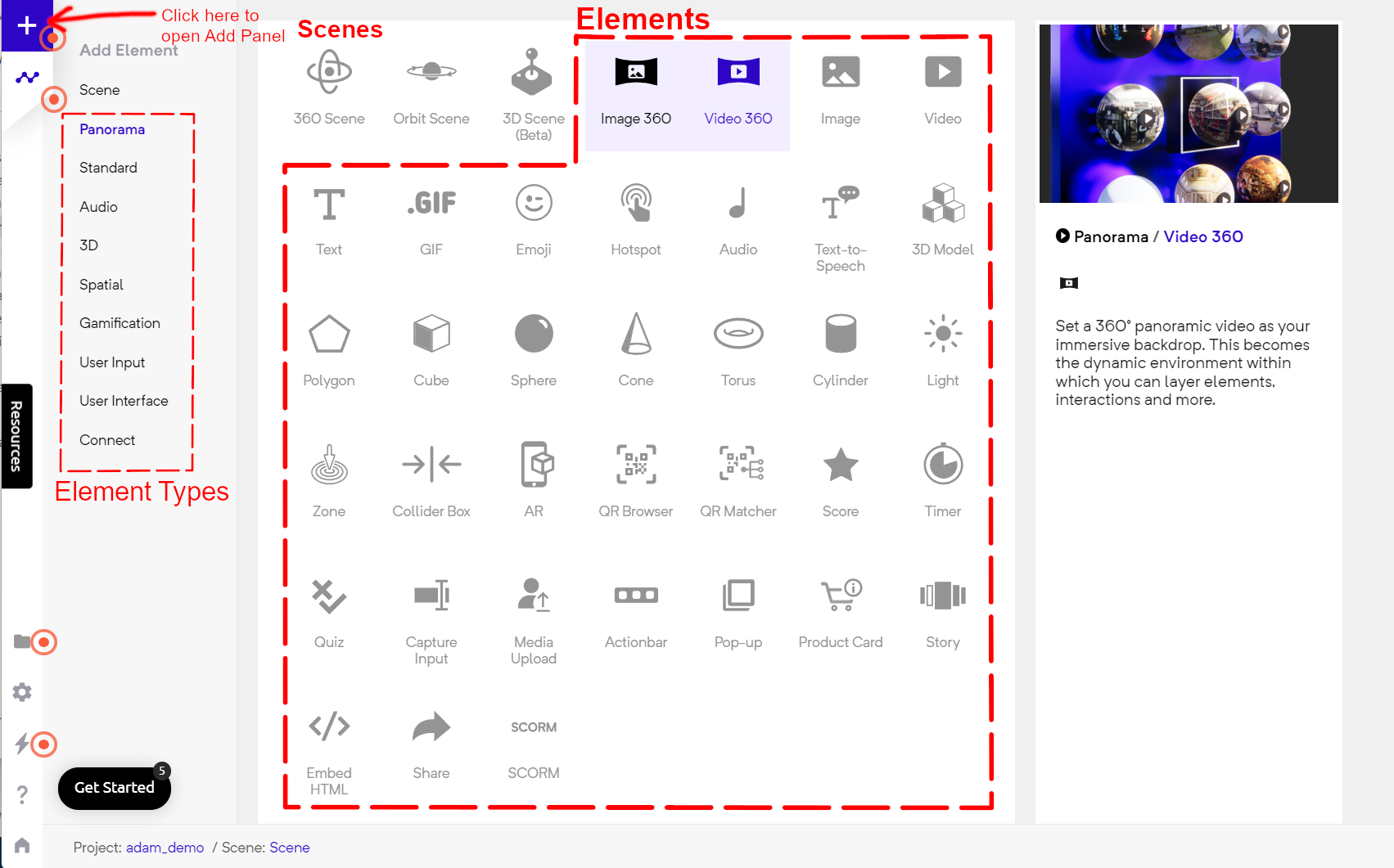
Add Panel
You can check all elements added to your scene in the Structure Panel
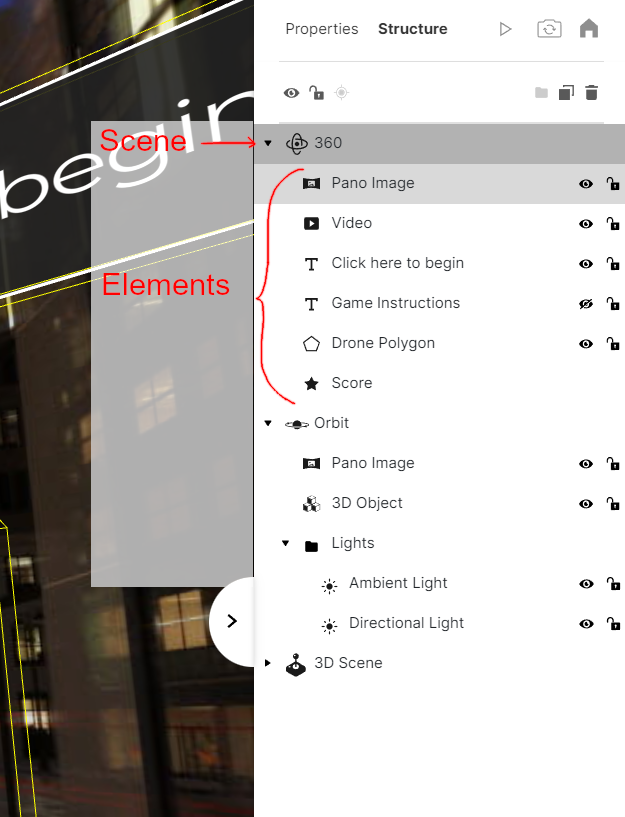
Elements in the Structure Panel
Universal Elements
Section titled “Universal Elements”Universal Elements work in VR Mode also
Panorama
Section titled “Panorama”- Image 360
- Video 360
Standard
Section titled “Standard”Also, check Audio Optimizations.
Polygons And Shapes
Section titled “Polygons And Shapes”- 3D Model
- Polygon
- Cube
- Sphere
- Cone
- Torus
- Cylinder
- Light
- Zone
- Collider Volume
- Collider Mesh
HTML only Elements
Section titled “HTML only Elements”Spatial
Section titled “Spatial”- AR
- QR Browser
- QR Matcher
Gamification
Section titled “Gamification”- Score
- Timer
- Quiz
User Input
Section titled “User Input”- Capture Input
- Media Upload
User Interface
Section titled “User Interface”- Actionbar
- Pop-up
- Product Card
- Story
Connect
Section titled “Connect”- Embed HTML. (Check embedhtml-snippets.md)
- Share
- SCORM