

Colliders
Colliders are structures that prevent viewers from walking through a space.
There are three types of colliders - Scene Bounds, Collider Volume, Collider Mesh
Scene Bounds
Section titled “Scene Bounds”Scene Bound is the boundary of your scene. Every place that you want the viewer to visit should be within the Scene Bounds.
In the editor, scene bounds are visible as a grid and can be toggled from the Viewport Properties. Scene bounds are only visible in the editor - you can’t see them in the deployed link.
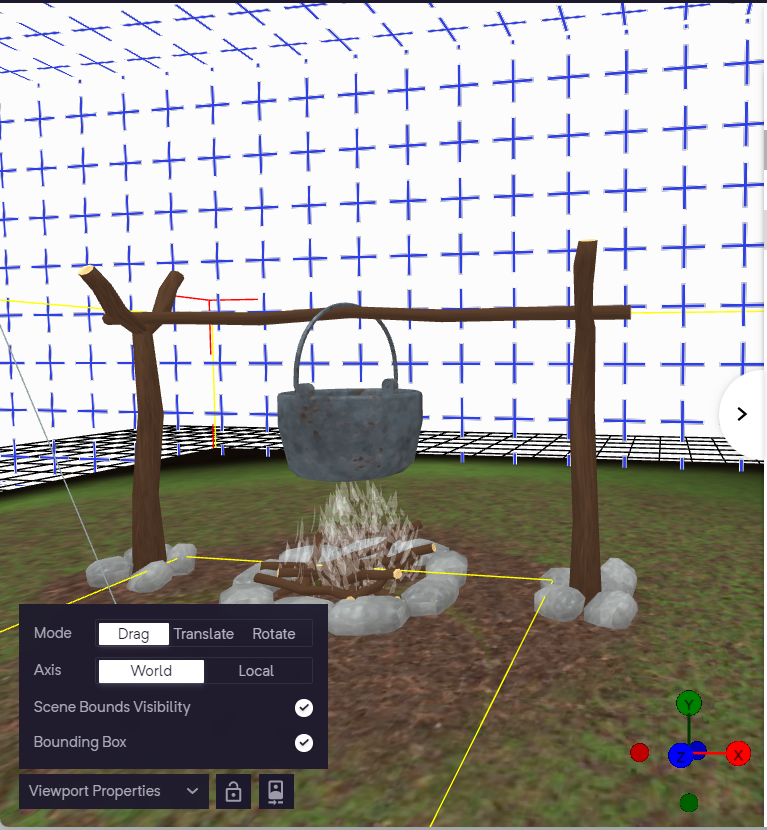
Scene Bounds
How can I change Scene Bounds?
Section titled “How can I change Scene Bounds?”To modify the Scene bounds of your scene, go to the ‘Structure’ option and select ‘Scene’. Then, you can adjust the X, Y, and Z axis ranges to make the necessary changes.
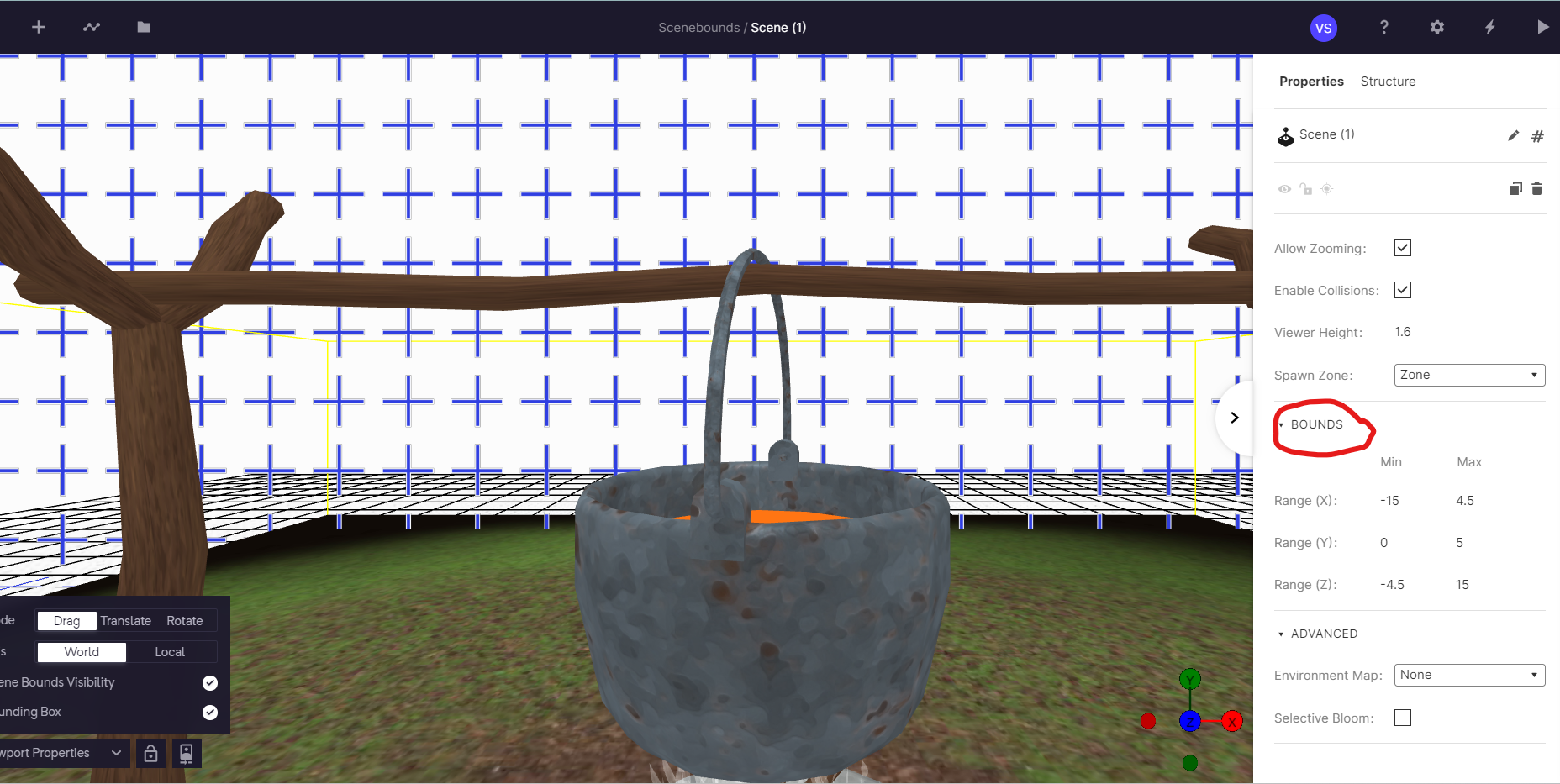
How to change the scene bounds in your experience
Here’s an example experience for Scene Bound. The scene bounds prevent you from going near the windows.
Collider Volume
Section titled “Collider Volume ”A Collider Volume is an invisible box/sphere/cone/volume that objects will rest on top of. Without colliders, viewers will fall through floors and go through walls and benches. The position, shape and dimensions of this volume can be adjusted from the properties panel.
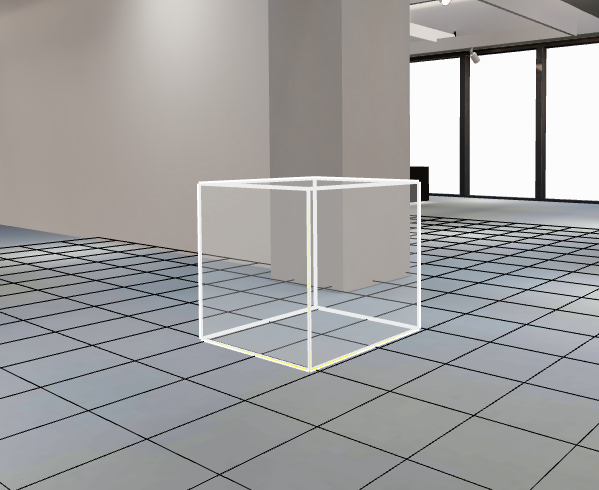
Collider box element
In view, the collider box elements are represented as invisible cubes with which the players will collide and not walk through.
Collider Mesh
Section titled “Collider Mesh”Enhance your experience by incorporating a 3D object that has collision capabilities. You can either upload your own customized 3D model or choose one from our pre-installed libraries.
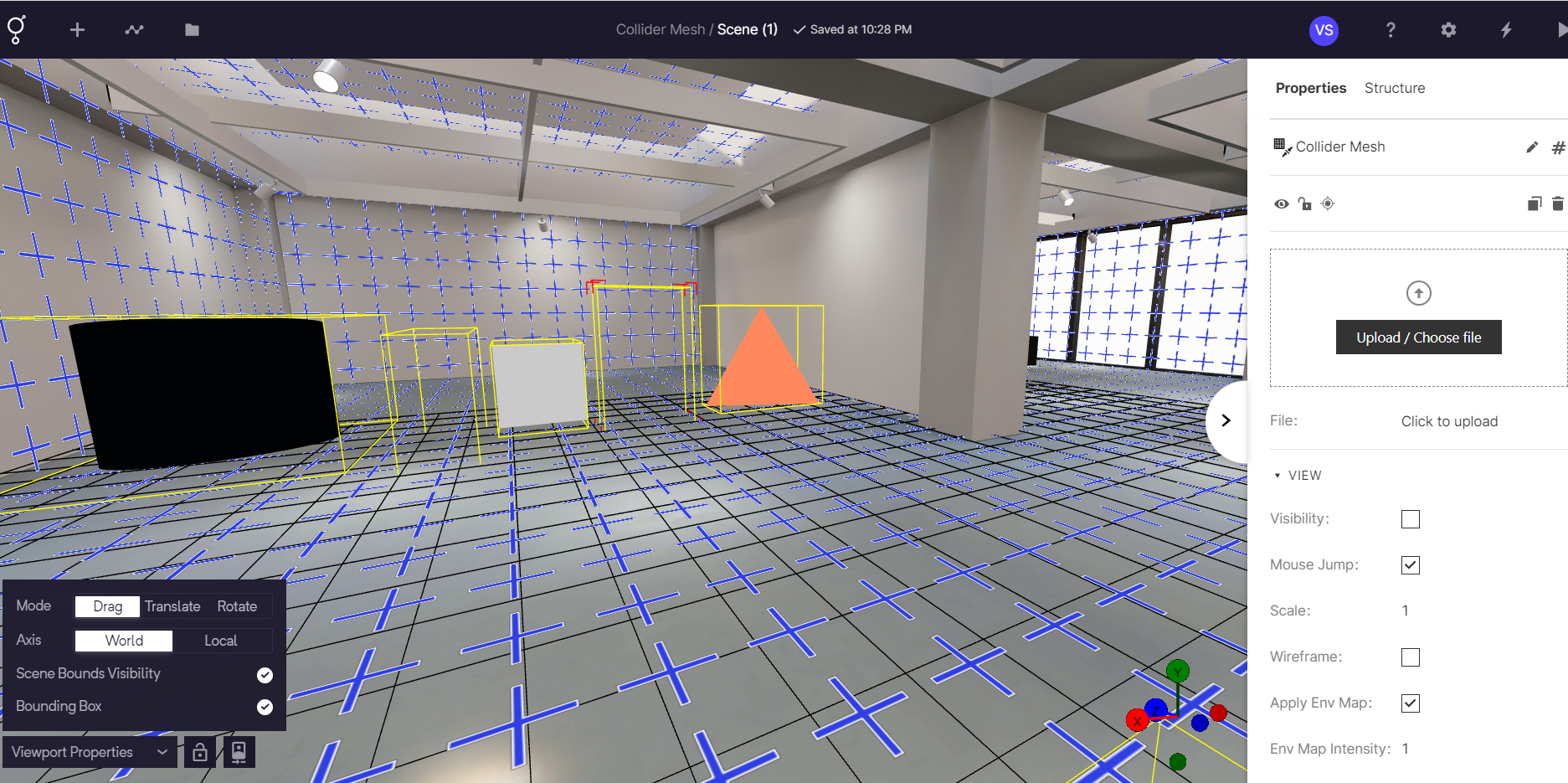
Collider Mesh
Collider Example
Section titled “Collider Example”Here’s an example of how a collider works on an experience: