

Number Variable Rules
Example Experience where you can track the number of times the viewer enters a zone:
(Try walking into the blue zone and see the count increment)
These are the rules that were used in the above experience:
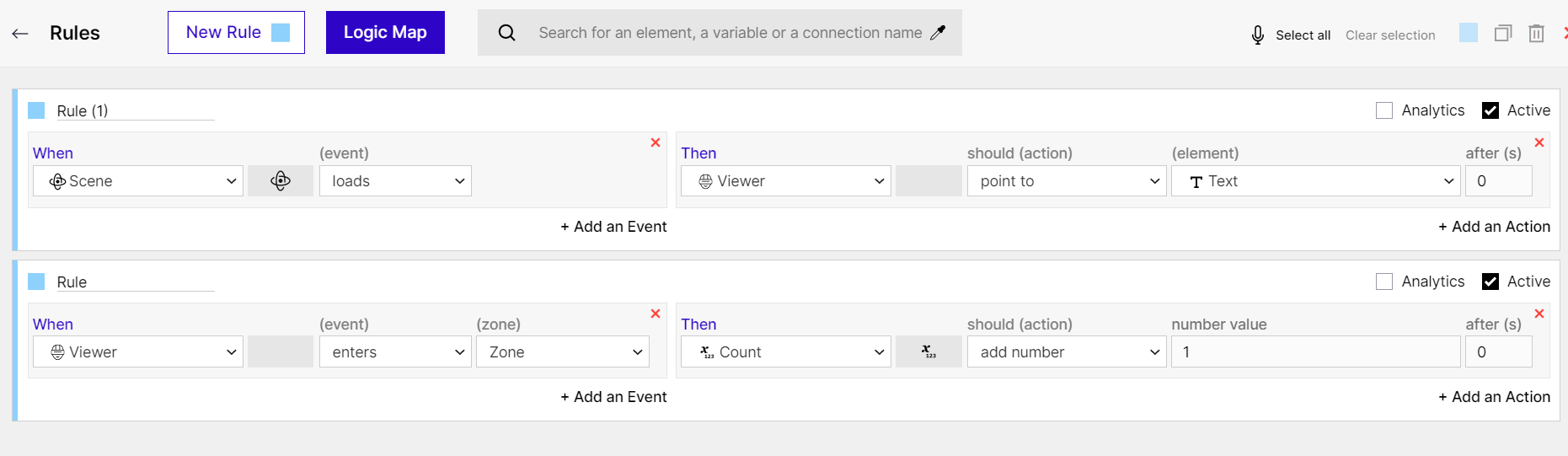
Rules - Number Variables
Number: When Rules
Section titled “Number: When Rules”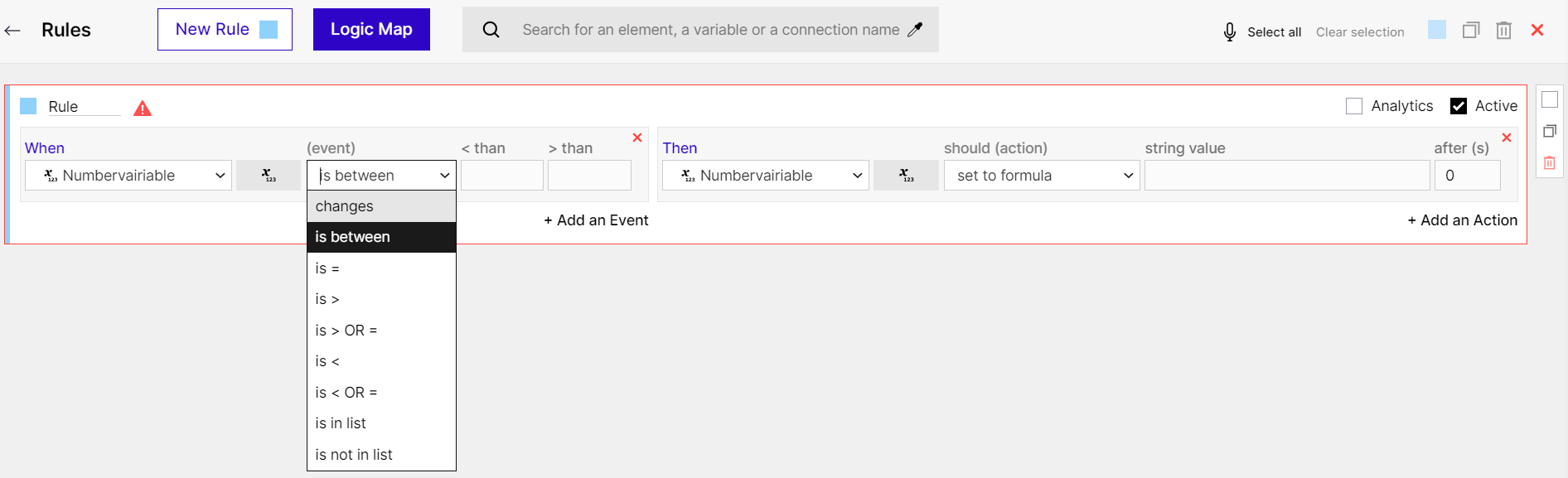
Number: When Rules
- changes: Gets triggered if the number variable undergoes a change.
- is between: Gets triggered if the number variable is within a certain range.
- is =, is >, is > OR =, is <, is < OR =: Comparison operators that trigger when the given condition becomes true.
- is in the list / is not in the list: A certain action can be triggered if the number value exists in a given comma-separated list.
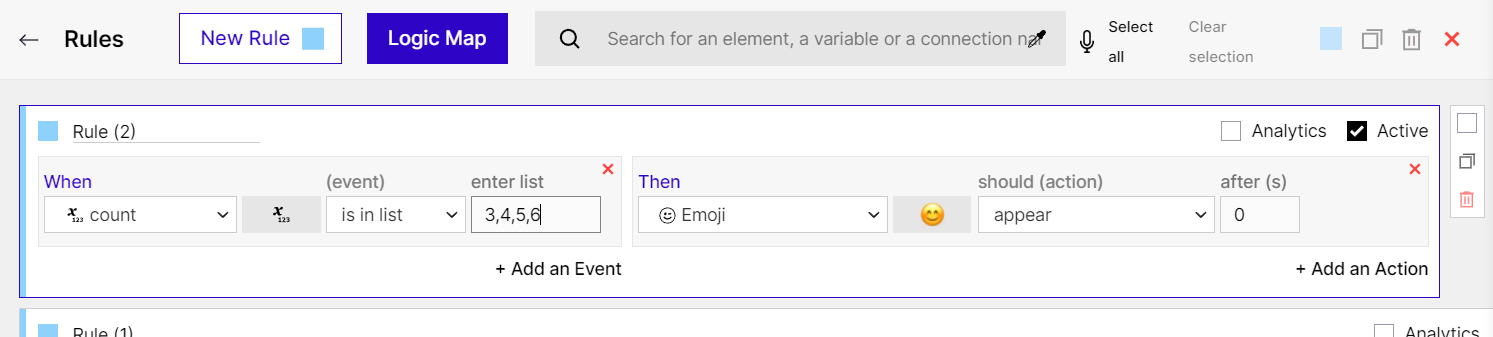
Is In List Rule
Number: Then Rules
Section titled “Number: Then Rules”- reset to default value - This will set the variable back to its default value.
- set to number - This action allows you to set the variable to a particular number.
- set to formula - This action enables you to use a formula that generates results to set the value of the variable.
- add number - This action allows you to add a particular number to the variable.
- capture data - This action copies the value from the “When” side of the rule. Check #capturing-user-input.
- add captured value - This action adds the captured value to the variable (instead of replacing it with the value).
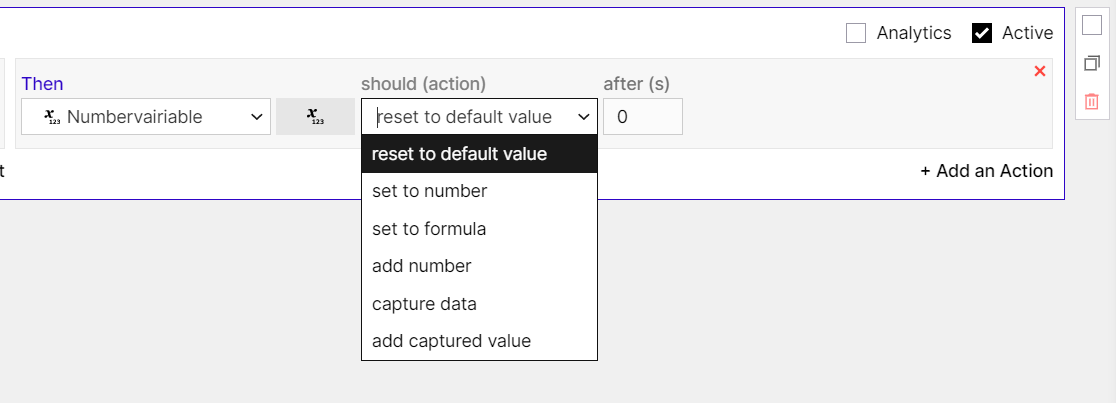
Number: Then Rules
Number: Formulas
Section titled “Number: Formulas”You can do a lot with the Then option set to formula for Numbers.
Mathematical Expressions
Section titled “Mathematical Expressions”You can write any formula in the “Set to formula” value to get it evaluated by GMetri.
The following types of expressions are supported:
| Input | Result | Explanation |
|---|---|---|
| 2+3-1 | 4 | Addition and Subtraction operator |
| 2*5/10 | 1 | Multiplication and Division operator |
| tan45 or tan(45) | 1 | Trigonometric Function (tan in Degree mode) |
| tan45 or tan(45) | 1.619775190543862 | Trigonometric Function (tan in Radian mode) |
| Pi1,15,n or Pi(1,15,n) | 1307674368000 | Product of Sequence |
| Sigma1,15,n or Sigma(1,15,n) | 120 | Sum of Sequence (also called summation) |
| 2^3 | 8 | Exponent (note this operator is left associative like MS Office) |
| 5P3 | 60 | Permutaion Method to calculate all the permutaions |
| sincostan90 or sin(cos(tan(90))) | 0.017261434031253 | Multiple functions with or without parenthesis (both works) |
Random Number
Section titled “Random Number”Set the “Set to formula” value to random_<from>_<to> to generate a random number. Replace “<from>” and “<to>” with numbers, no spaces in between - like random_0_5. For example, if you want to generate a random number between 3 and 8, you should set this to random_3_8.
Current Time
Section titled “Current Time”Set the “Set to formula” value to current_time to save the current epoch time (in ms) in a number variable.
Rules used in the above experience:
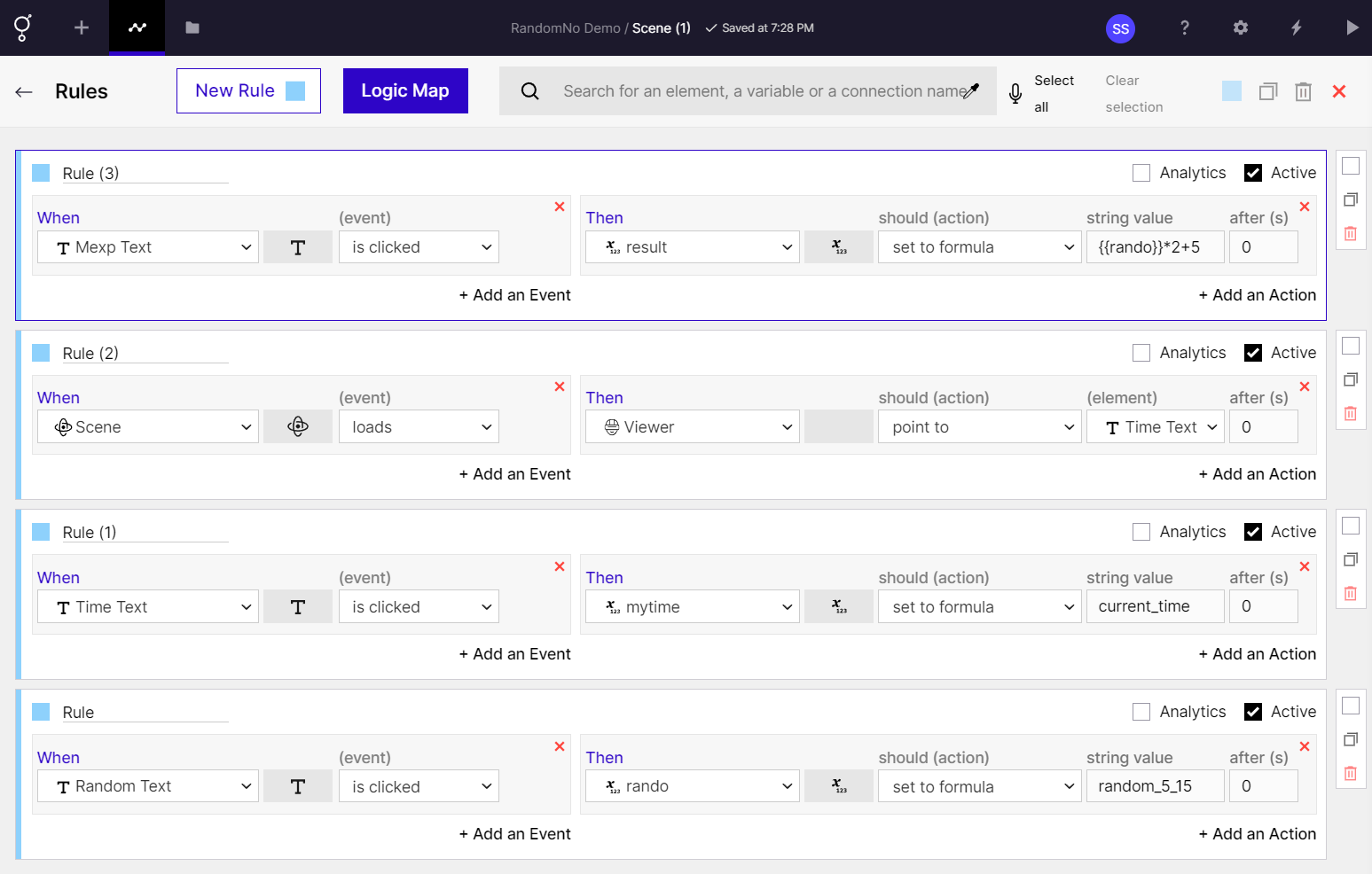
Formula based rules