

Authentication
Control who accesses your deployment
You can control who accesses your deployments by changing it’s Authentication.
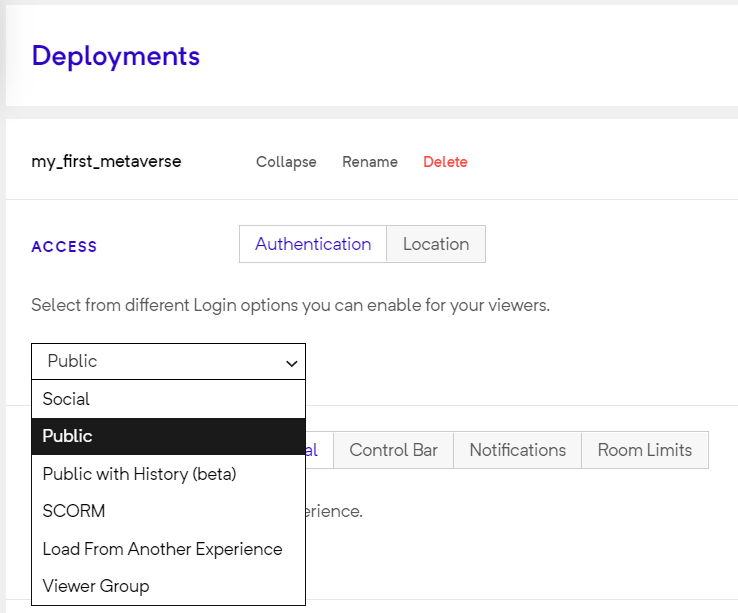
Authentication Options
Public
Section titled “Public”This option allows anyone to access your deployment
Social
Section titled “Social”The viewer can login using their social credentials like Google or Facebook/Instagram account to access your experience
Load from another experience
Section titled “Load from another experience”This allows you to link multiple deployments. Selecting this option makes this deployment visible in the “Open Deployment” rule while you build another experience.
Public with history
Section titled “Public with history”This option allows anyone to access your experience, but GMetri assigns a viewer id to track history. So when the same person accesses the experience again from the same device and browser, their variables or progress would remain intact.
Advanced Authentication Mechanisms
Section titled “Advanced Authentication Mechanisms”There are a lot more authentication mechanisms you can use:
SSO/SAML
Section titled “SSO/SAML”Custom List
Section titled “Custom List”Password With Expiry
Section titled “Password With Expiry”Email with OTP
Section titled “Email with OTP”Viewer Groups
Section titled “Viewer Groups”Many of the above authentication mechanisms can be setup from the Viewer Group section.
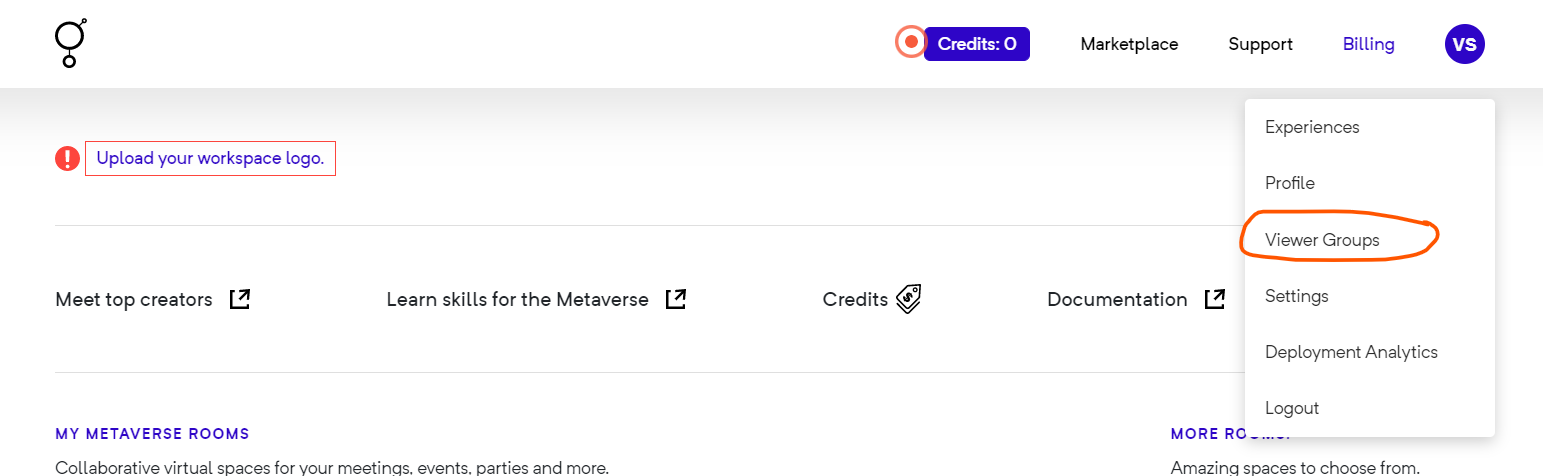
Opening the Viewers Group page from the portal menu
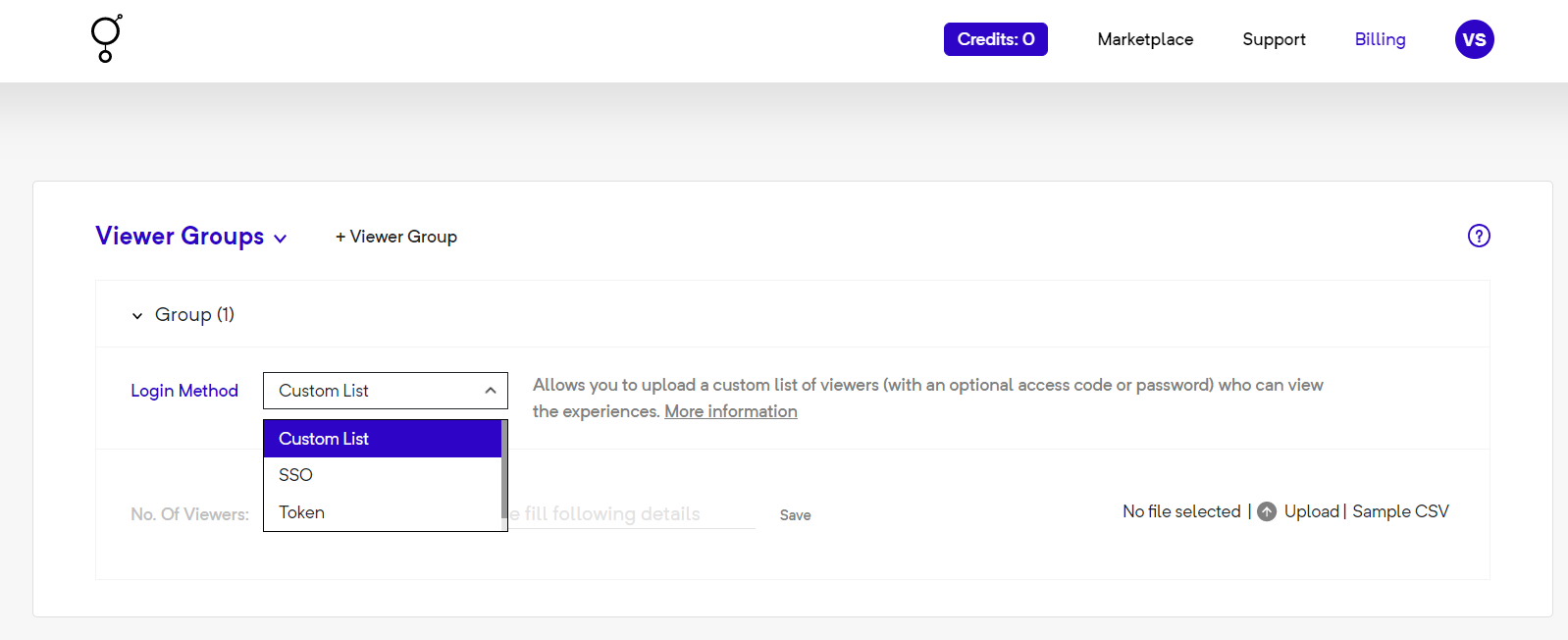
Viewer Groups