

Timer
Step 1: Add a Timer
Section titled “Step 1: Add a Timer”You can add a Timer to your experience by clicking on the ‘+’ icon in the left bar and selecting ‘Timer’ under ’Gamification section.
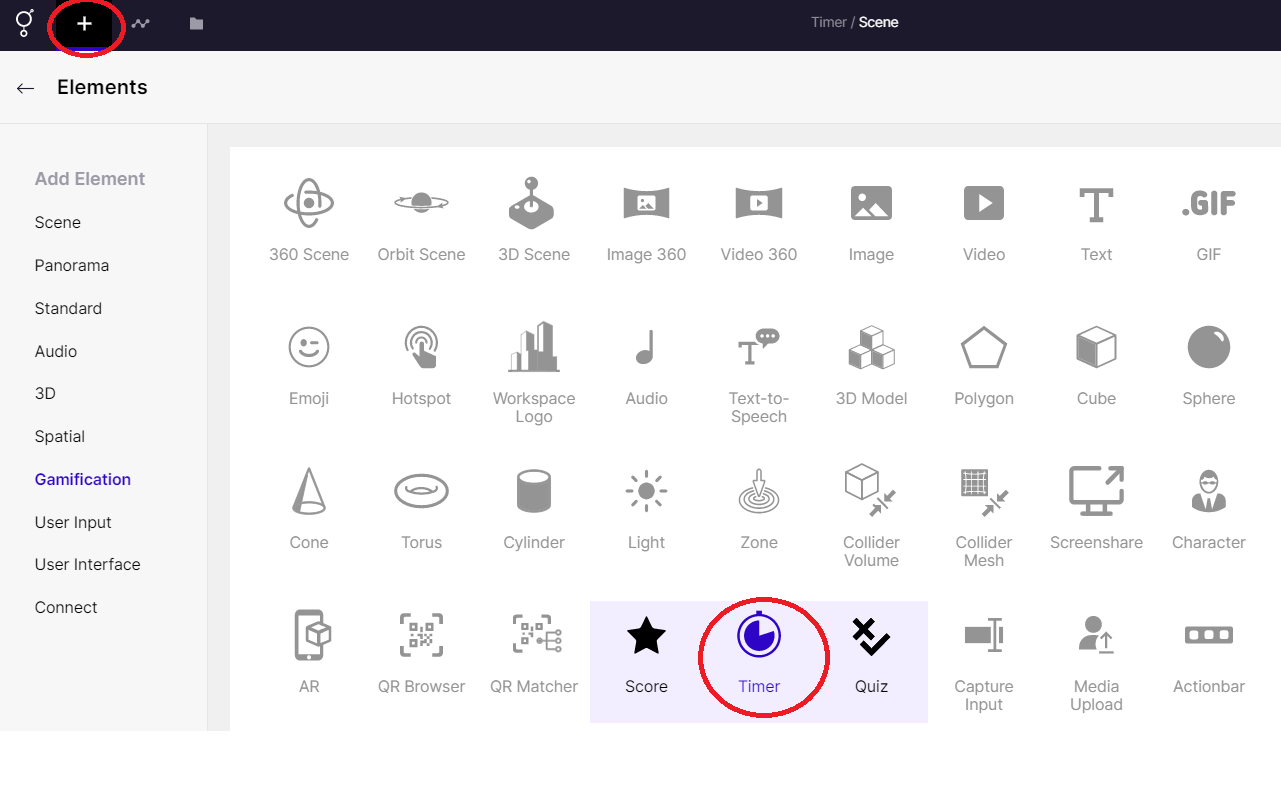
Adding a Timer
Step 2: Adjust the Timer
Section titled “Step 2: Adjust the Timer”The right panel provides different options to customize your timer.
You can switch between count up/count down, control the Minutes/Seconds, Autoplay option, and choose the font and its weight, adjust the placement.
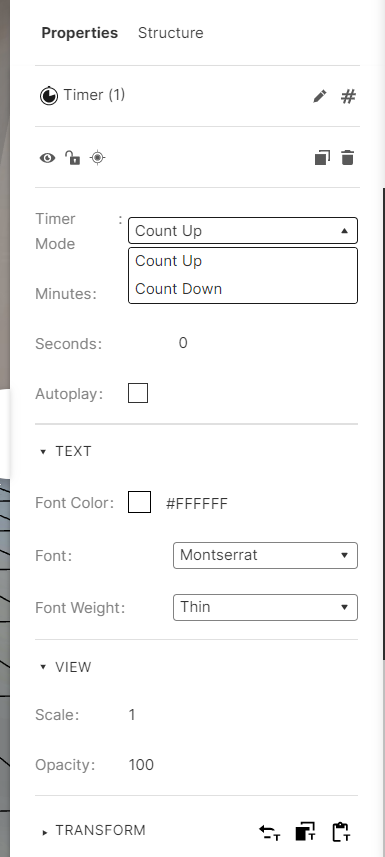
Timer adjustments
Example Experience
Section titled “Example Experience”Here’s a sample experience for a count up timer:
You can add ‘Rules’ to enable the timer to begin and stop or toggle.
Here are the rules used in the above example experience.
Below are the set of rules used in the above example:
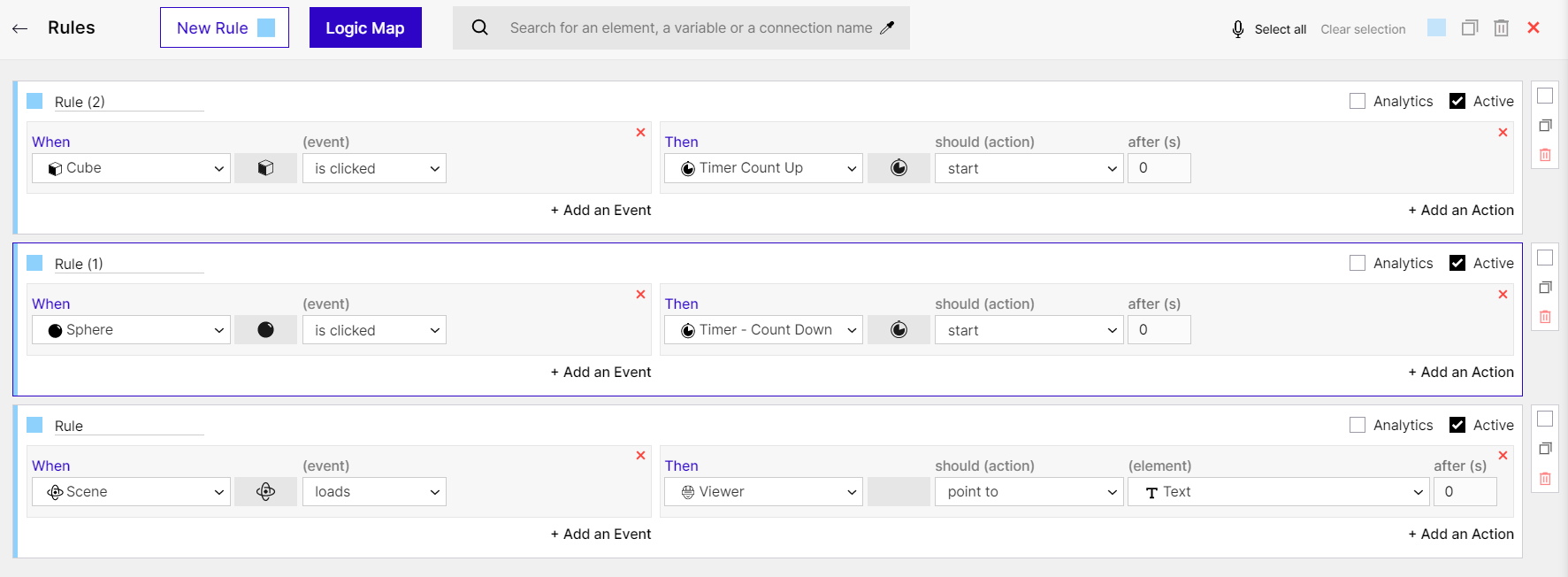
Rules used on Timer