

Full-Page HTML
Publishing a Metaverse as a Full-Page Website
Copy the <html> code from the “Other” tab and paste it on your website to host the Metaverse as a Full Page website.
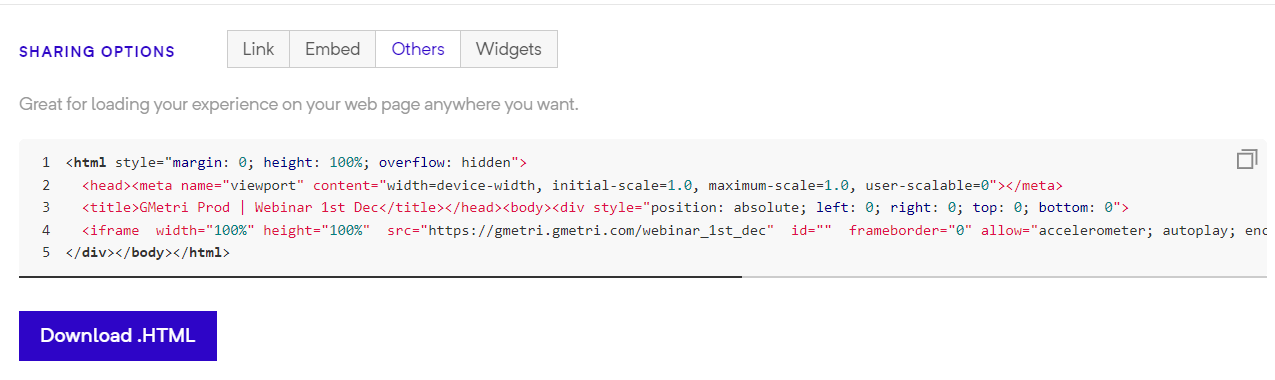
HTML Sharing Option
You can easily create a website that is a full-page Metaverse by copying the <html> code from the #full-page-html section and pasting it as the only thing on your page.
How can I create Full page Metaverse Website?
Section titled “How can I create Full page Metaverse Website?”To set up a full-page Metaverse website, just copy the <html> code from#full-page-html for your deployment and paste it into the website’s html you want your metaverse to be hosted on.
In case you don’t have a website or want to set up a new one, you can use the guide below.
Here’s how to create a Full page Metaverse on Github pages
Section titled “Here’s how to create a Full page Metaverse on Github pages”Example website: https://metaverse.boardroomx.com
Deployment: https://demo.gmetri.com/gmetri_event_vr_public
GitHub Repository Link: https://github.com/gmetrixr/website-metaverse-example
We will be setting up the following deployment as a Website:
- GMetri Deployment:
https://gmetri_demo.gmetri.com/gmetri_event_vr_public - Website URL:
https://metaverse.boardroomx.com
Step 1) Github Repository Setup
Section titled “Step 1) Github Repository Setup”Create a GitHub repository and enable GitHub Pages for it. To enable GitHub pages, go to that repository’s “Settings > Pages”, select the branch “main”, and Save.
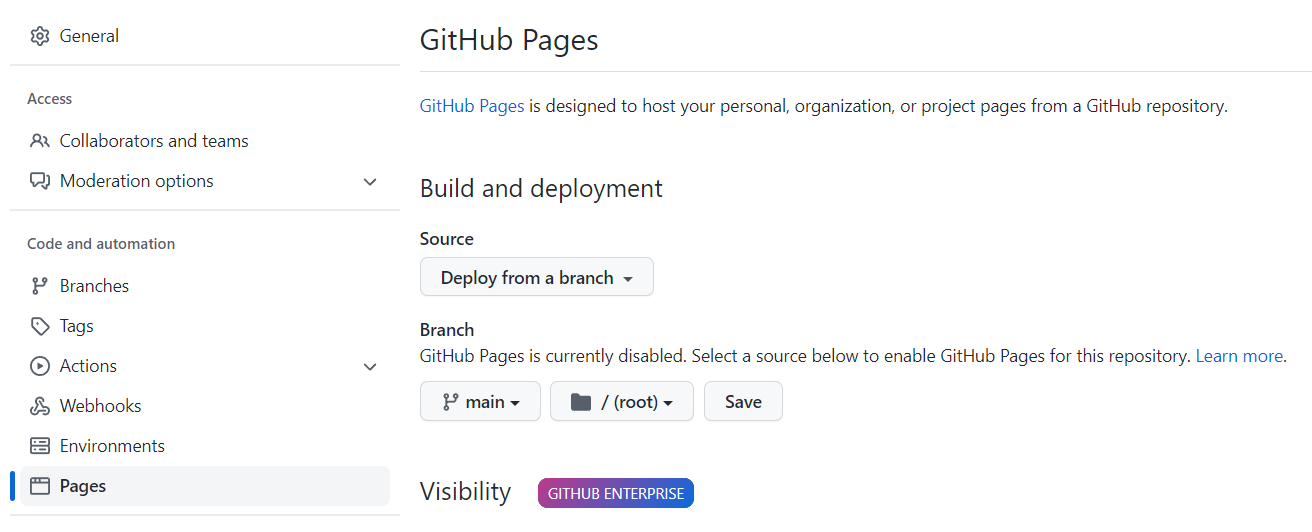
Enabling GitHub Pages
We created this repository.
Step 2) Add DNS entry for the final URL
Section titled “Step 2) Add DNS entry for the final URL”Point the URL you want of your final experience to either <user>.github.io or <organization>.github.io. Check detailed instructions here.
For this example, we added a CNAME record metaverse.boardroomx.com with the value gmetrixr.github.io .
Once the DNS record is created, add the final website’s hostname under Custom Domain.
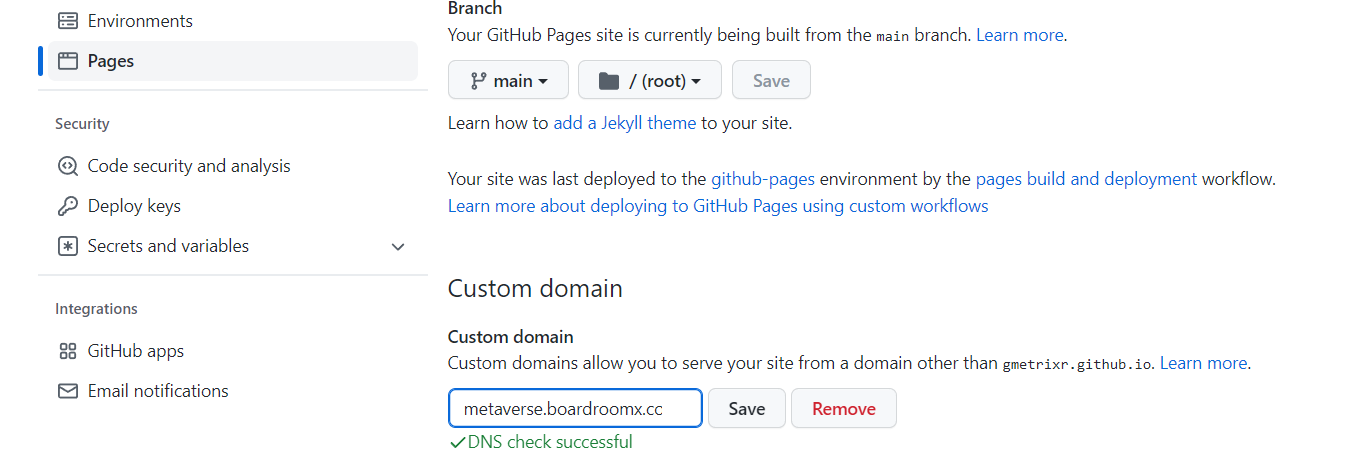
Adding Custom Domain
Once the certificate is issued, make sure “Enforce https” is checked.
Step 3) Add an index.html in the repository
Section titled “Step 3) Add an index.html in the repository”Go to the repository and add a new file with the name index.html
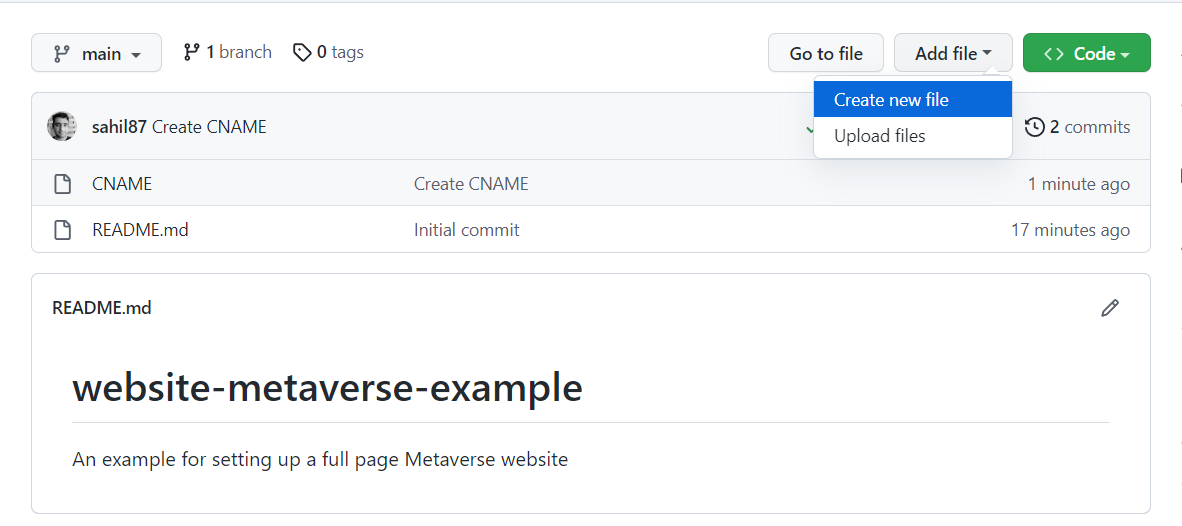
Adding a new file in the repository
Get the content from #full-page-htmland paste it into the file, and then Commit it.
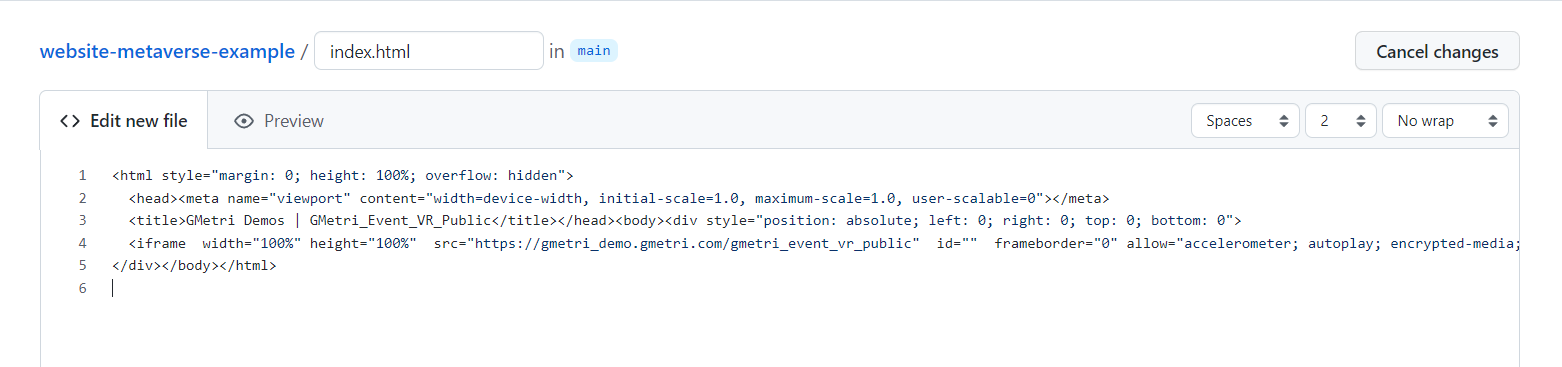
Adding index.html to the repositoy
Your website should now be live.