

Video
How do I add a video to my experience?
Section titled “How do I add a video to my experience?”Also read #video-autostart-limitations
Step 1: Add a Video
Section titled “Step 1: Add a Video”You can add a video by clicking on the ‘+’ icon in the top bar.
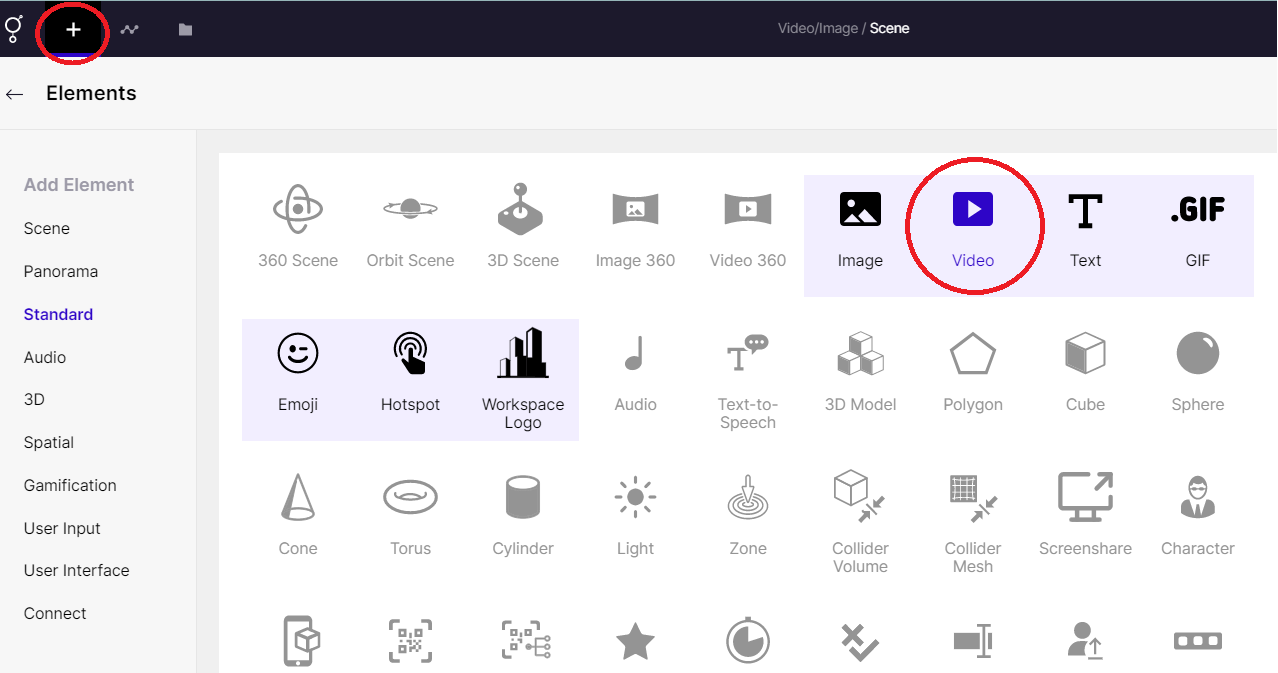
Adding a video
Step 2: Upload / Choose file
Section titled “Step 2: Upload / Choose file”You can choose from the inventory of videos or upload one from your computer.
Read below to know how to select a file to upload a video.
Step 3: Adjust the Video element
Section titled “Step 3: Adjust the Video element”On the right-hand side, there are multiple options available to modify your video element.
You can replace the video, give it a new name, adjust its dimensions, transparency, and proportion, as well as other features.
You can also animate, control the speed and modify other adjustments too, from here.
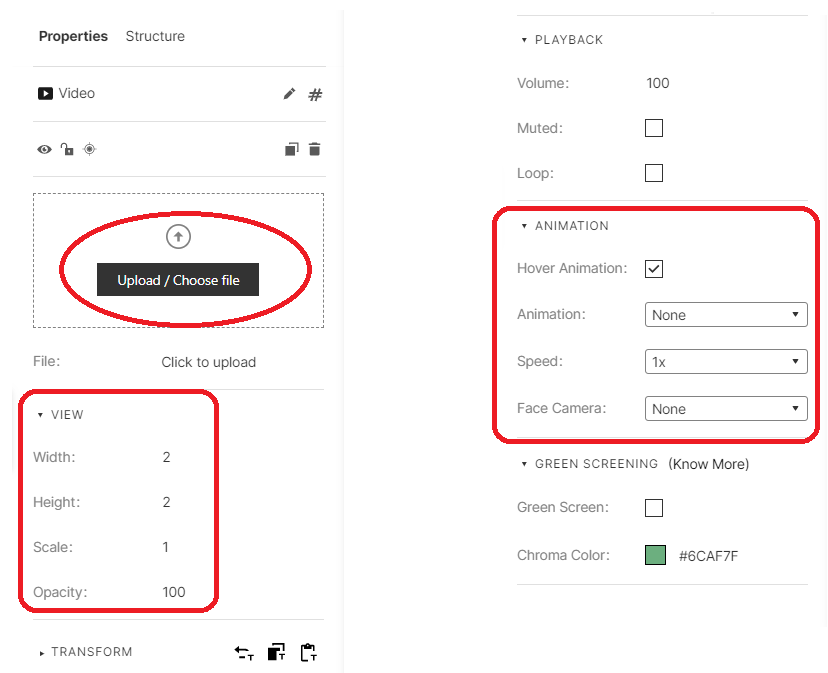
Adjusting a video element